
The WordPress Gutenberg block editor–sometimes called WordPress custom blocks–makes it easier for you to create and manage engaging content that drives traffic and generates leads at your website.
However, like any new-to-you technology, if you’re migrating from a non-WordPress CMS, or are upgrading from a pre-Gutenberg WordPress setup, there can be a learning curve.
So to help you out, I'm going to highlight some of the more popular and important Gutenberg blocks, including:
- native blocks,
- 3rd party blocks, and
- even some examples we’ve whipped up when we couldn’t find one that did exactly what we wanted for ourselves or our clients.
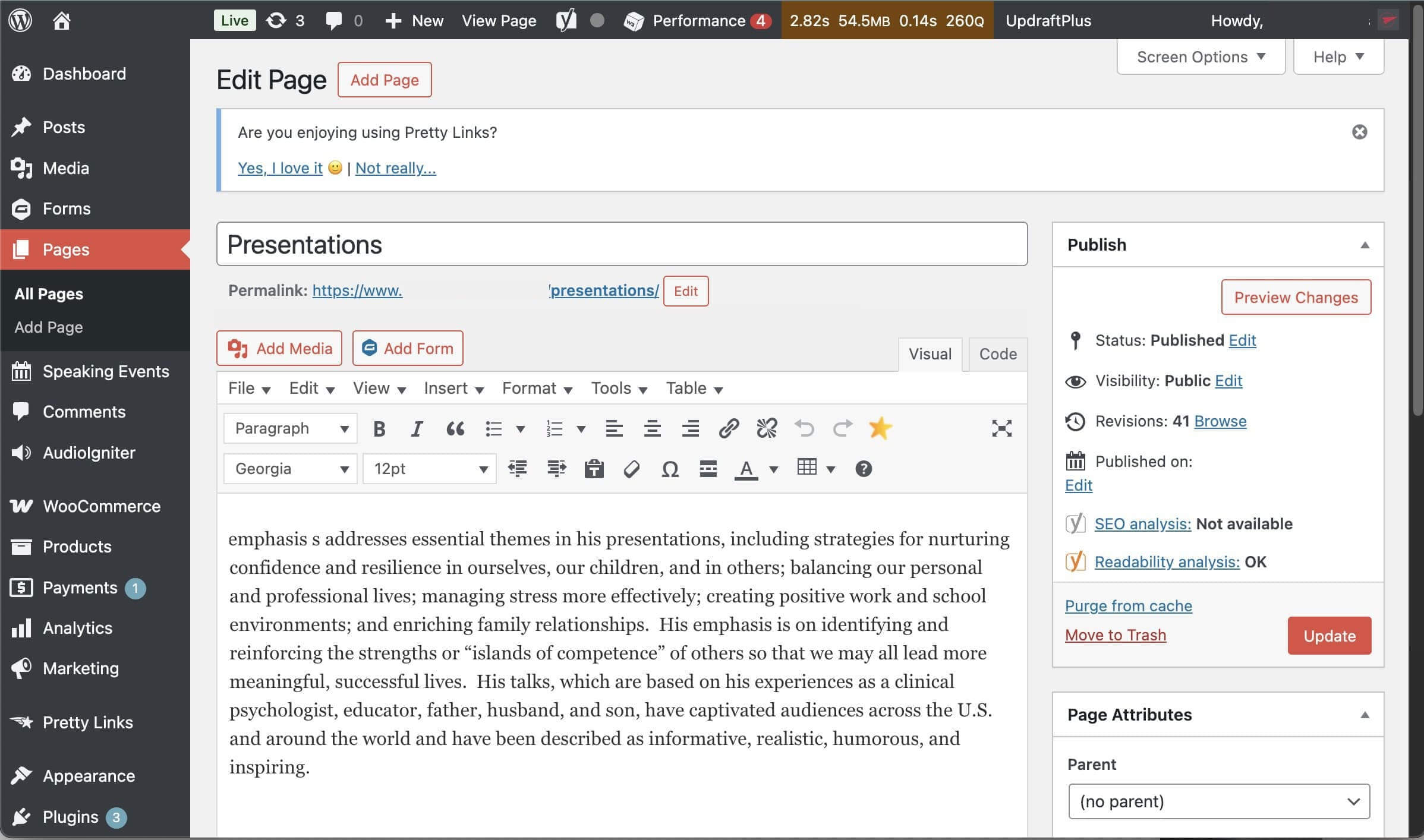
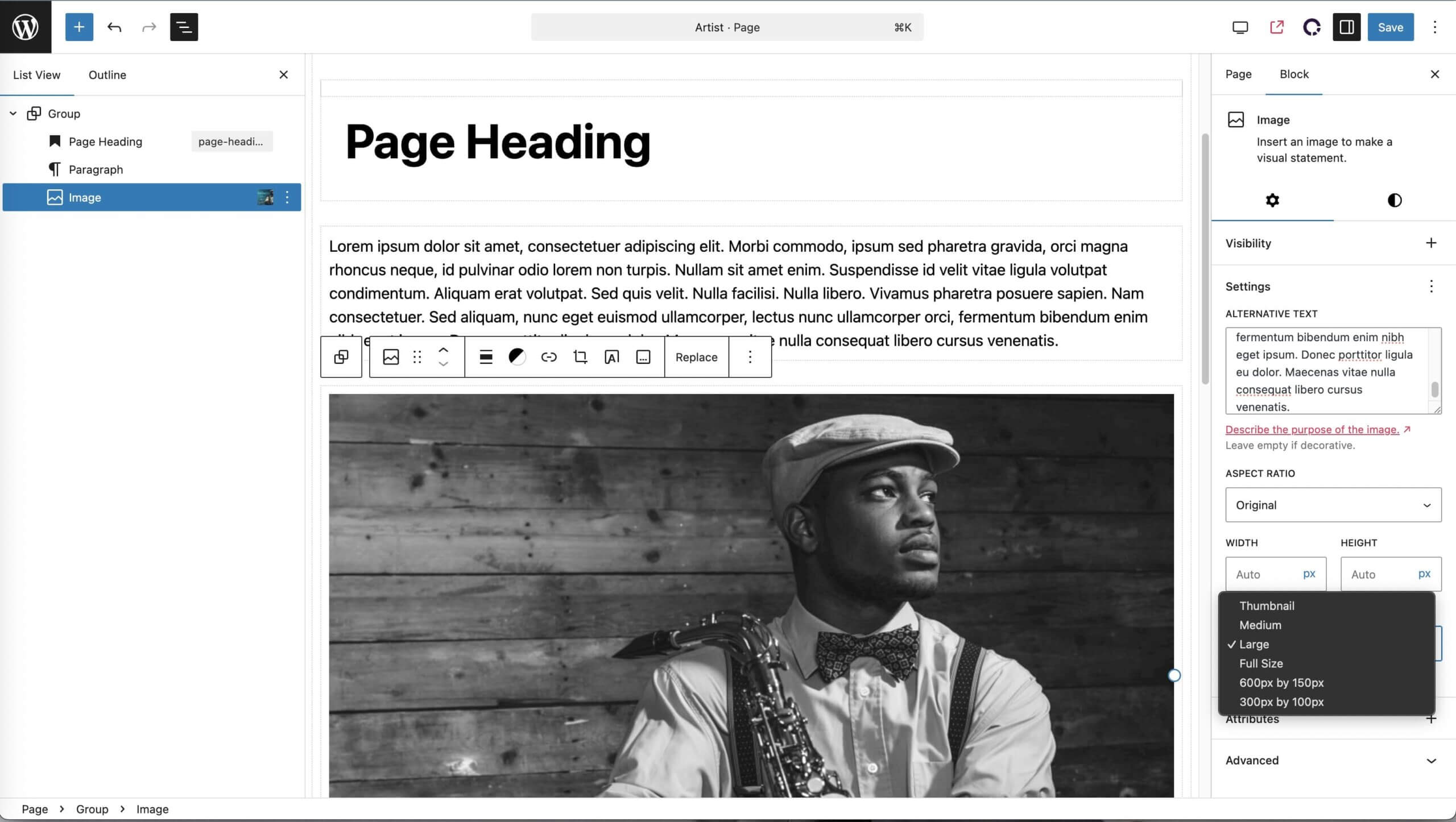
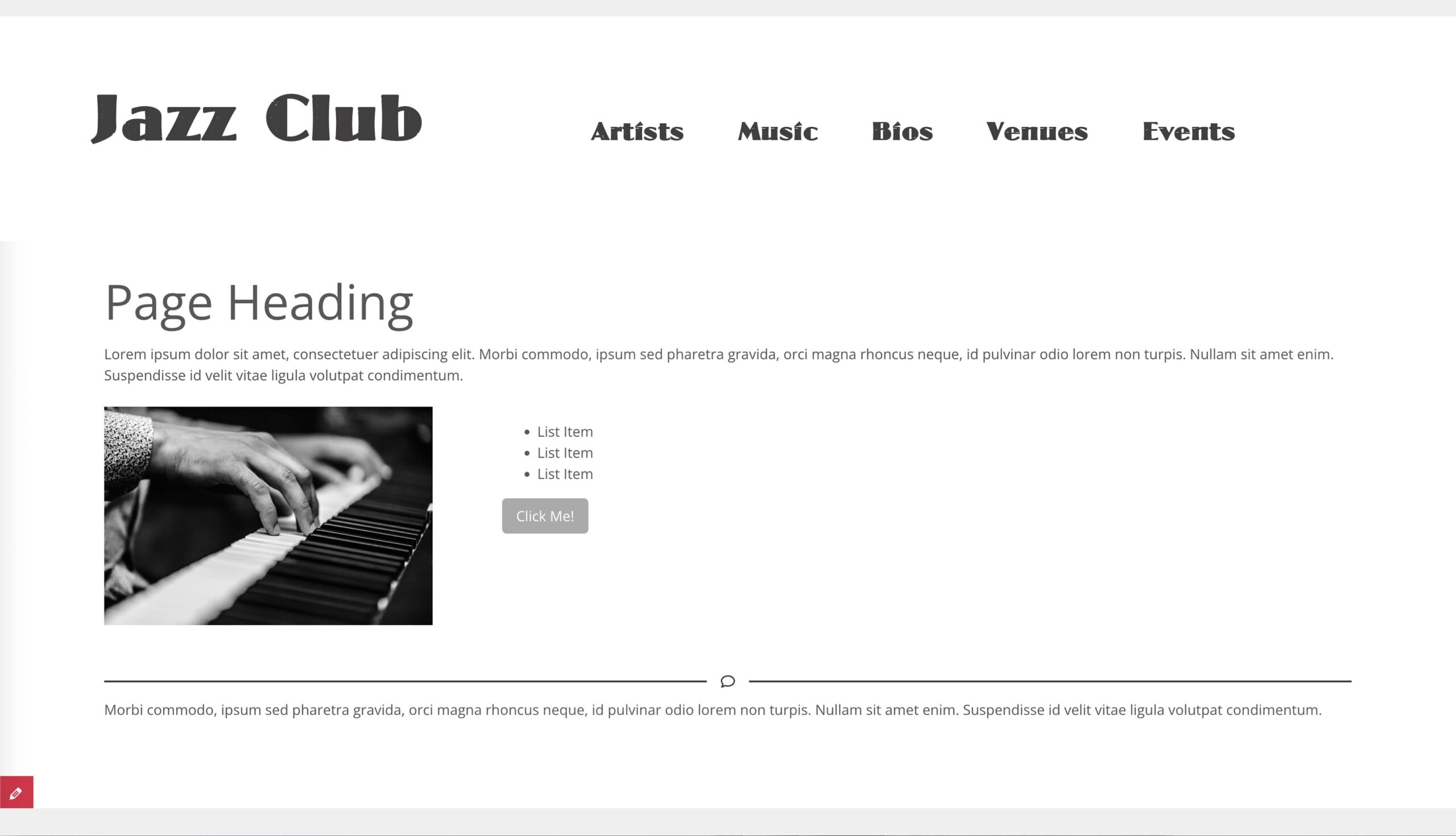
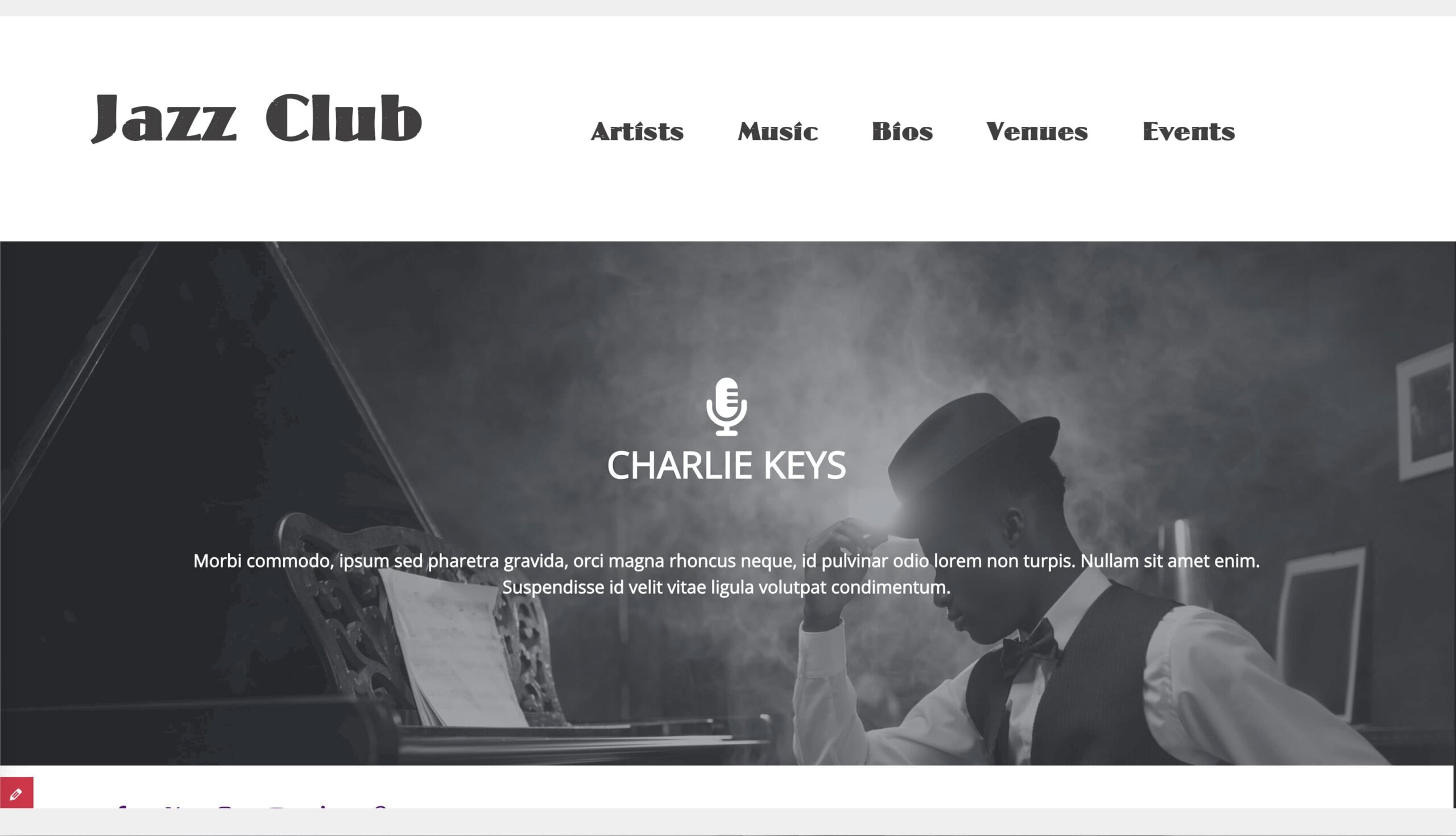
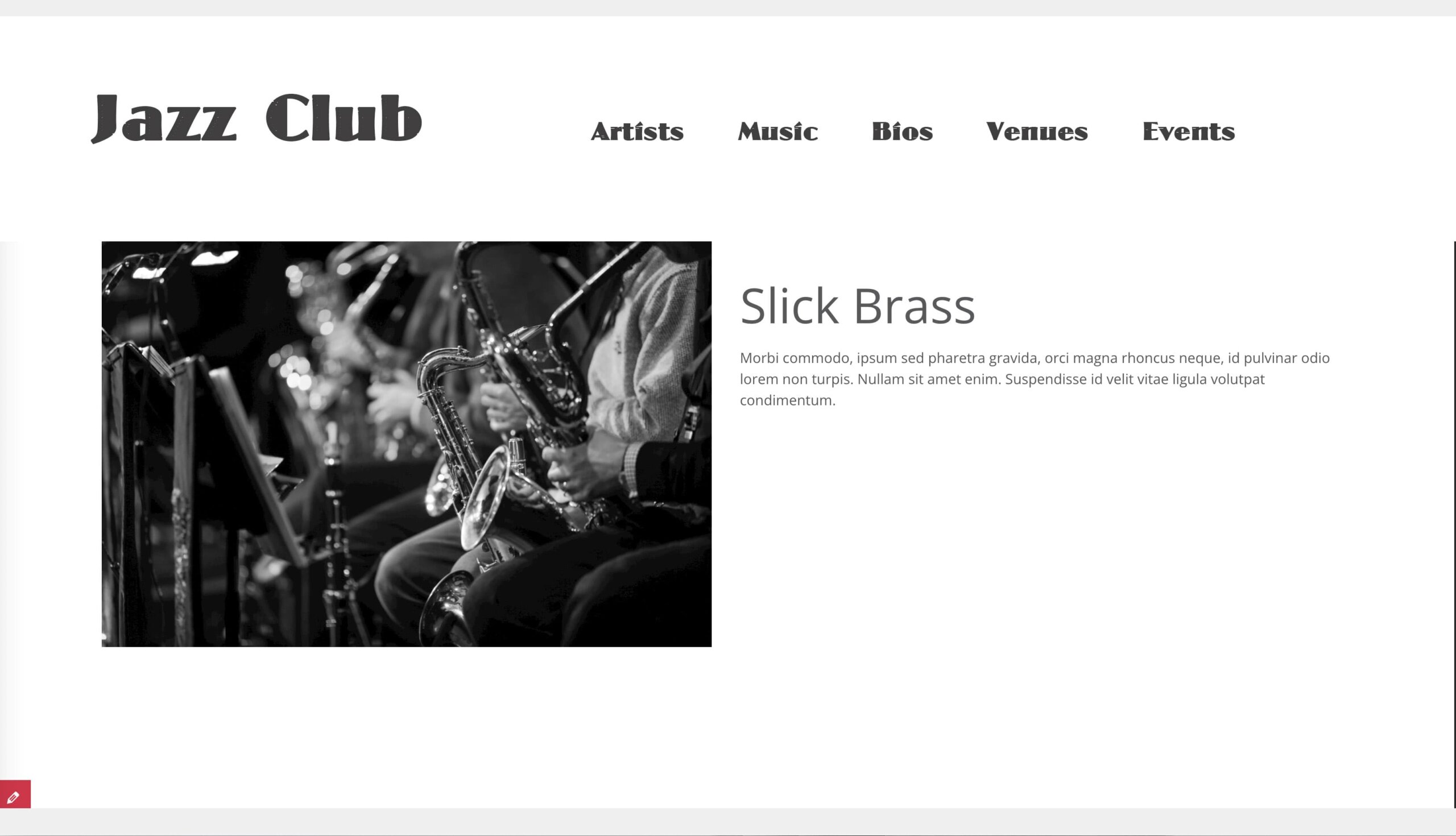
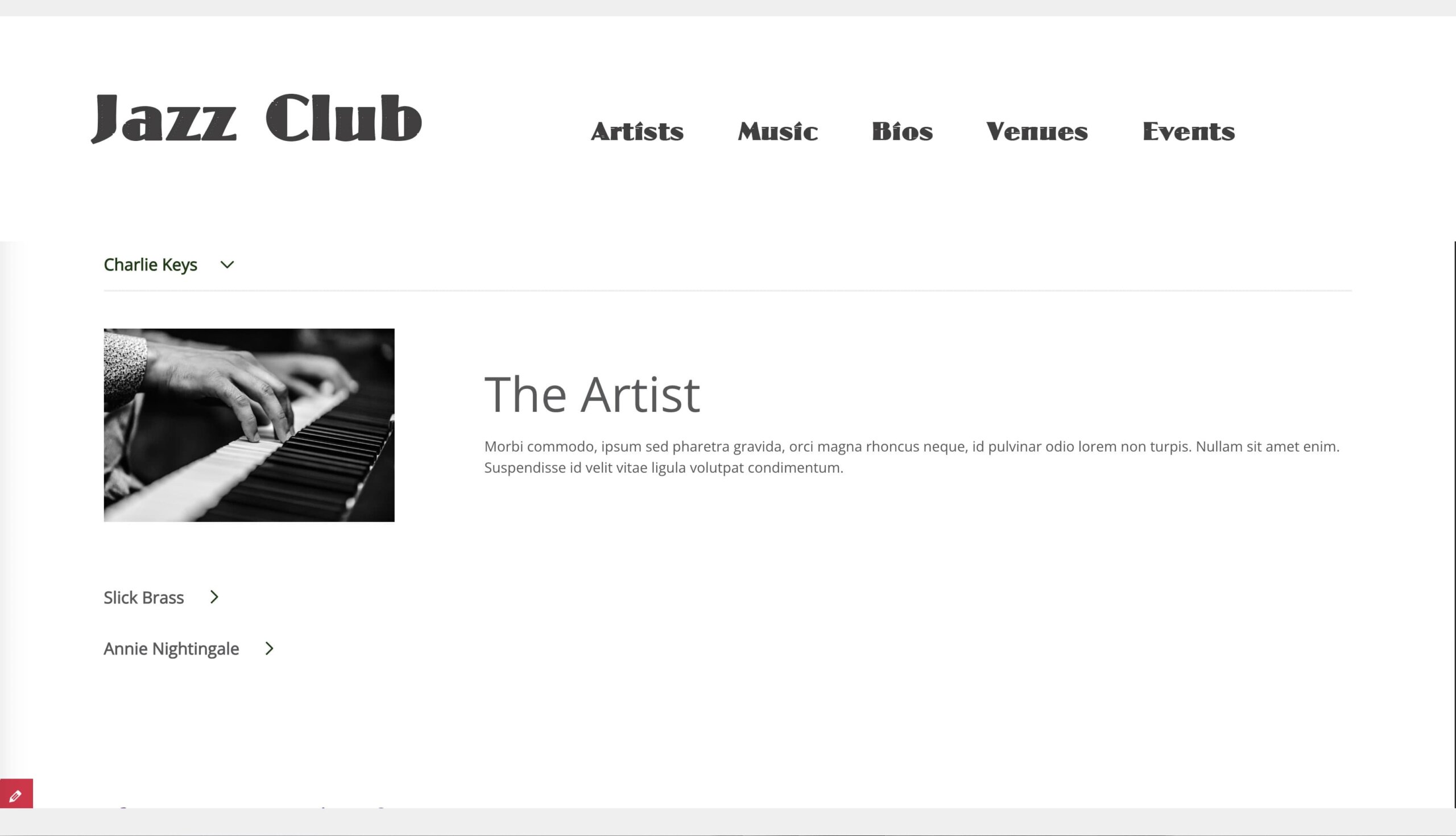
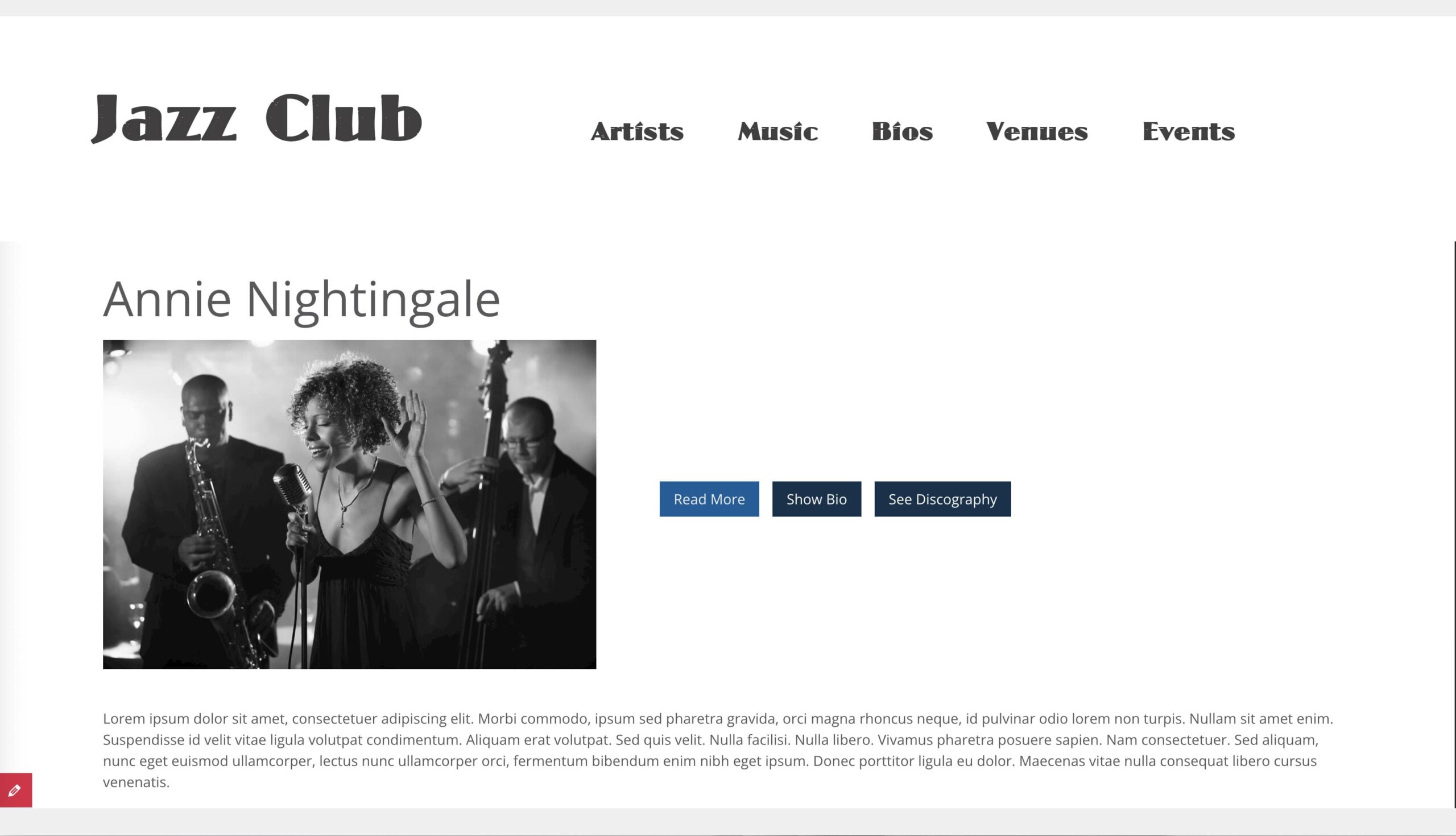
In many of the examples below I wanted to show you what the backend admin for Gutenberg Blocks looks like as well as what the public facing side looks like. To that end, when you see an image with a red bar slider (like the one below), you can slide the bar back and forth to hide or reveal the two versions.
Why Gutenberg Blocks Beats the WordPress Classic Editor for Business Websites
There are plenty of reasons to upgrade, but here are key reasons why Gutenberg Blocks work well for small marketing teams:
- Drag-and-Drop Ease: You can easily build and edit pages on your own without knowing the underlying code. Like how a block looks on one page? You can copy and paste it onto a new page!
- Design Flexibility That Won’t Break Your Website: Rearrange sections, swap images, or change colors, all without breaking your site.
- Consistent Branding: Your reusable blocks and patterns ensure your brand consistency throughout the website.
- Responsive Design: Most blocks are built to look good on phones, tables, and desktops automatically.
- No Need for Page Builders: Don’t even talk to my developers about Divi, Elementor, or WP Bakery…unless you want to see their eyes twitch. They’ll tell you about page builders’ unnecessary features, page bloat, and slow load times.

Now, that’s not to say Gutenberg blocks are perfect, and they certainly have their detractors, but the system has come a long way since it was first introduced, and is ready to take your website to the next level.
Core Gutenberg Blocks (and how to use them)
This first section looks at some of the “core” GBs–the ones that come standard–and how to best use them.
Paragraph, Heading, Image, List, Button, Spacer, Separator
These cover the basics of the content needs on your website. Fairly self-explanatory, with the Button block creating a button rather than a link for a high-impact CTA.
Use Cases: Everything. Service pages, About pages, long-form content, blog posts, you name it. These are your minions so put them to work!
Pro Tip: You can style these with CSS for consistency across blocks and pages. (But don’t get stressed! Your developer should set this up ahead of time so you don’t have to worry about it.)
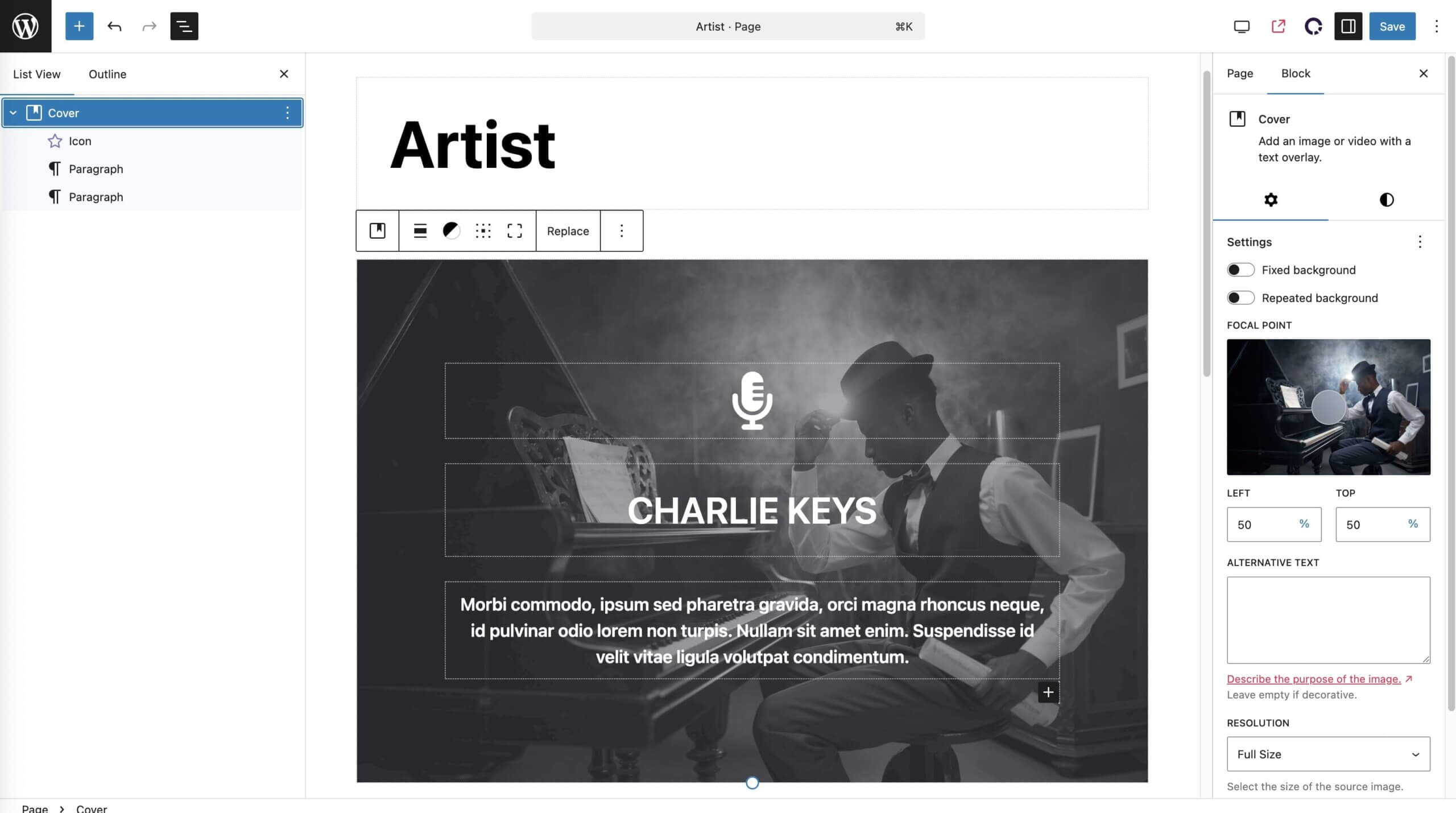
Cover Block: Visual Magic
The Cover block adds a background image or color with nested content on top.
Use Cases: Great for hero sections that need a text overlay, callouts (such as testimonials or quotes,) as well as full-width CTAs (calls to action).
Pro Tip: You can really make your content shine by adding parallax effects, gradients, or overlay opacity to the cover block.
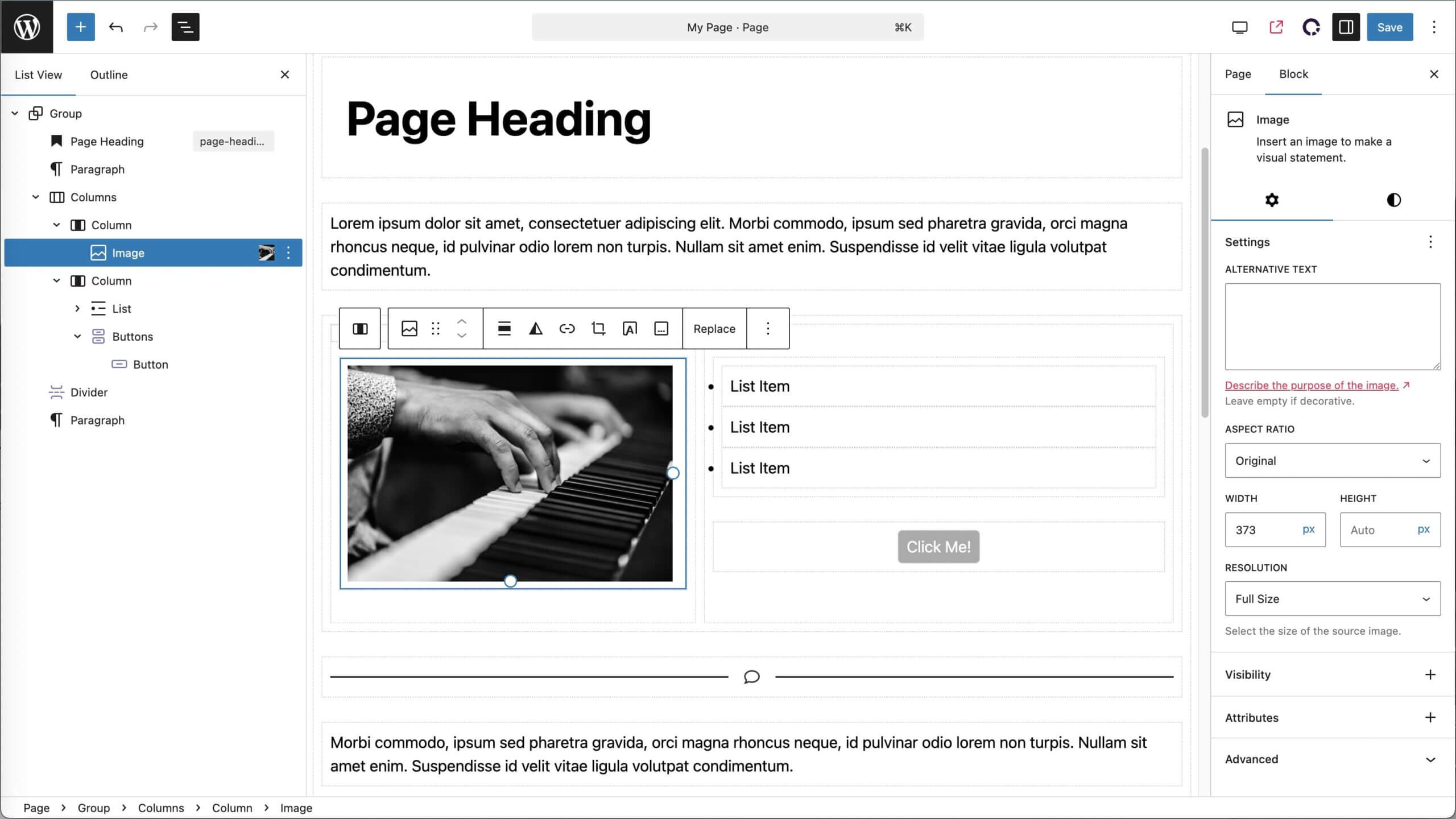
Columns Block: Side By Side
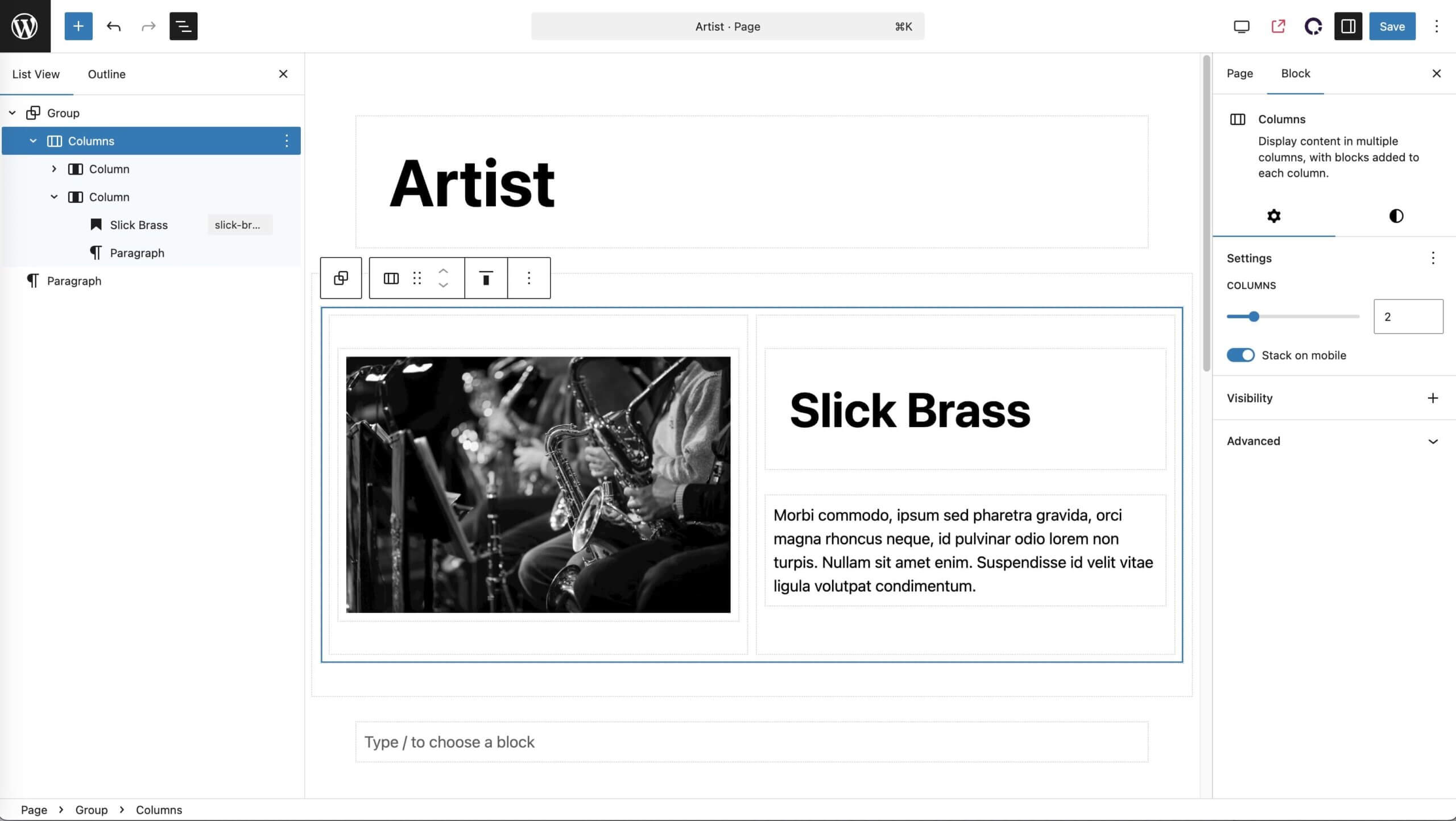
The Column block splits content into columns of varying widths, and each column can contain any other block, also known as “nesting.”
Use Cases: Great for comparing features between tiers of offerings, but can be used anytime you want split layouts between blocks of text or images.
Pro Tip: Nest inside groups or cover blocks for more control over design and layout.
Block Patterns
If you are using the same arrangement of blocks on multiple pages, block patterns can save them as templates. This helps streamline design, enforce brand consistency, and makes it easy for SMBs to manage their own updates.
Further, patterns can be synced so that when you make a change to the master pattern, all instances of that pattern are updated site wide! Not looking for side wide changes? No worries: they can also be used as stand alone templates or “kicking off” points for blocks with a shared structure but differing content.
Use Cases: Best for complex, repeatable sections like sliders, pricing tables, or buttons.
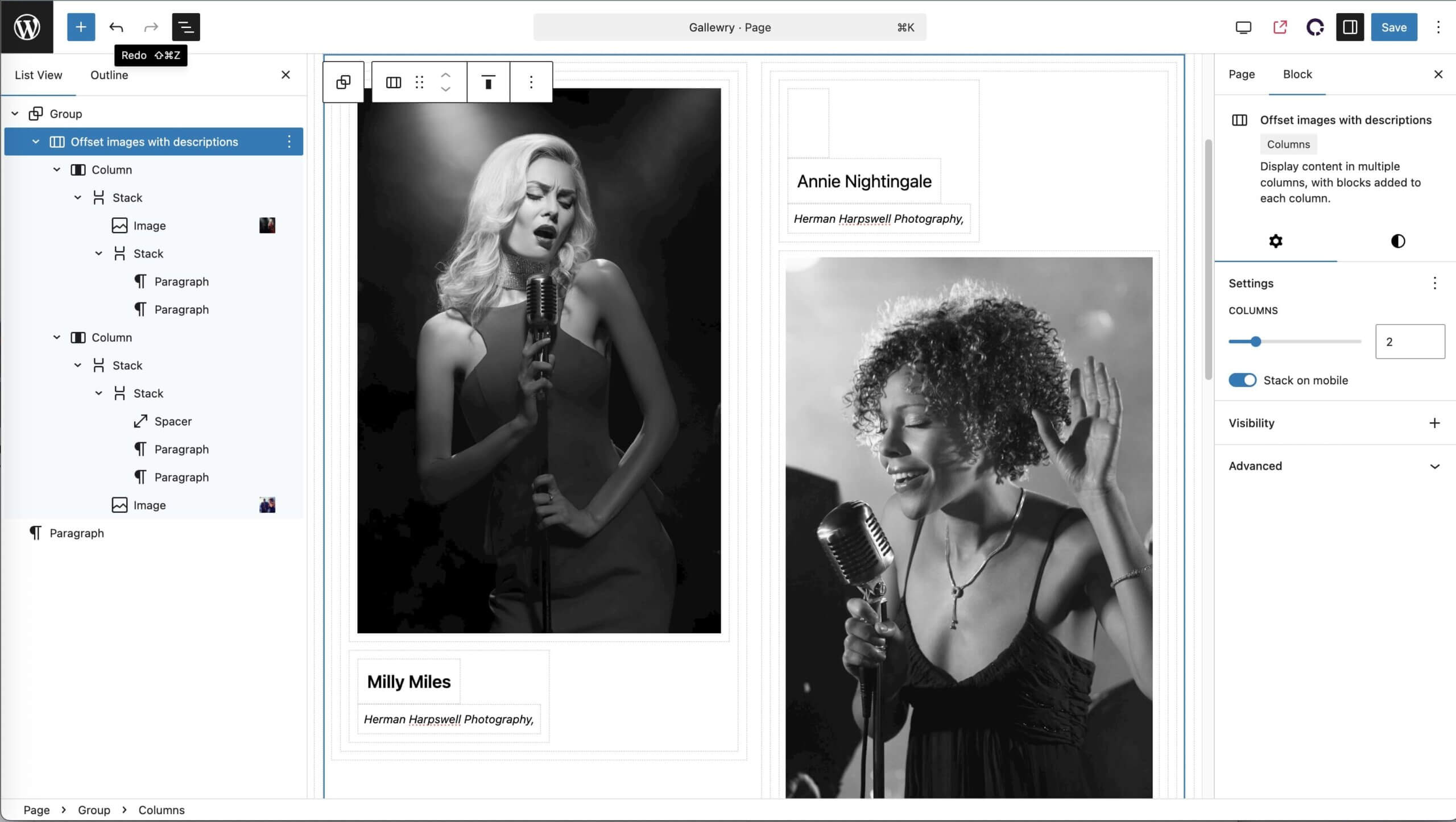
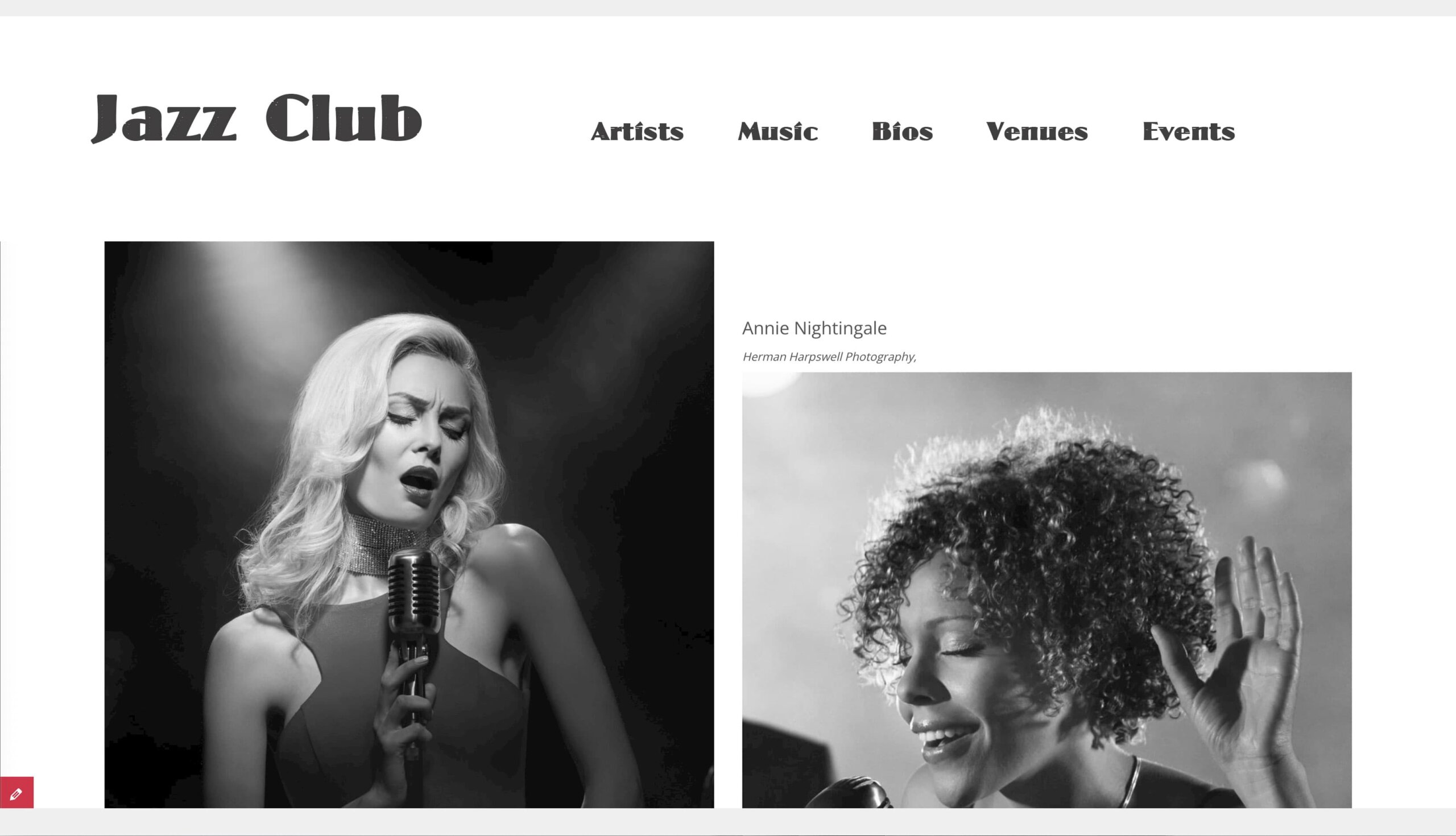
3rd Party Gutenberg Blocks
While the core Gutenberg blocks cover the basics, sometimes you need a little extra functionality…or flair! To fill this gap, 3rd party companies have created their own blocks. There are plenty of 3rd party block creators–Kadence, Otter, and Spectra to name a few–but here at flyte we gravitate towards GhostKit.
When I asked our developer “Why GhostKit?”, his response was that GhostKit offers “a freemium block library that really does 90% of what you need. You can go pro, but the upgrades are generally only for heavy-duty users.”
You or your developer may have found the perfect block from another 3rd party, and good on you! I’m not here to “yuck your yum.” There are plenty of great block developers out there, but our business is to find ones that work best for SMBs, put them through their paces, and use the ones that are:
- Effective: They do what they promise.
- Easy-to-use: Our SMB clients should feel comfortable using them.
- Supported: Unless plugins are being regularly updated they can stop working or even become a security risk.
- Cruft Free: They don’t include annoying upsell nags or are “limited” until you upgrade to Pro.
GhostKit Accordion Block
An accordion block allows you to hide or show features on a page, and then allows the site visitor to expand or contract each section.
Use Cases: Great for FAQ sections where the question is visible but the answer is tucked away. Similarly, great for long pages with lots of detailed information that might not be of interest to every visitor. You can also use it for detailed product information, such as technical specs.
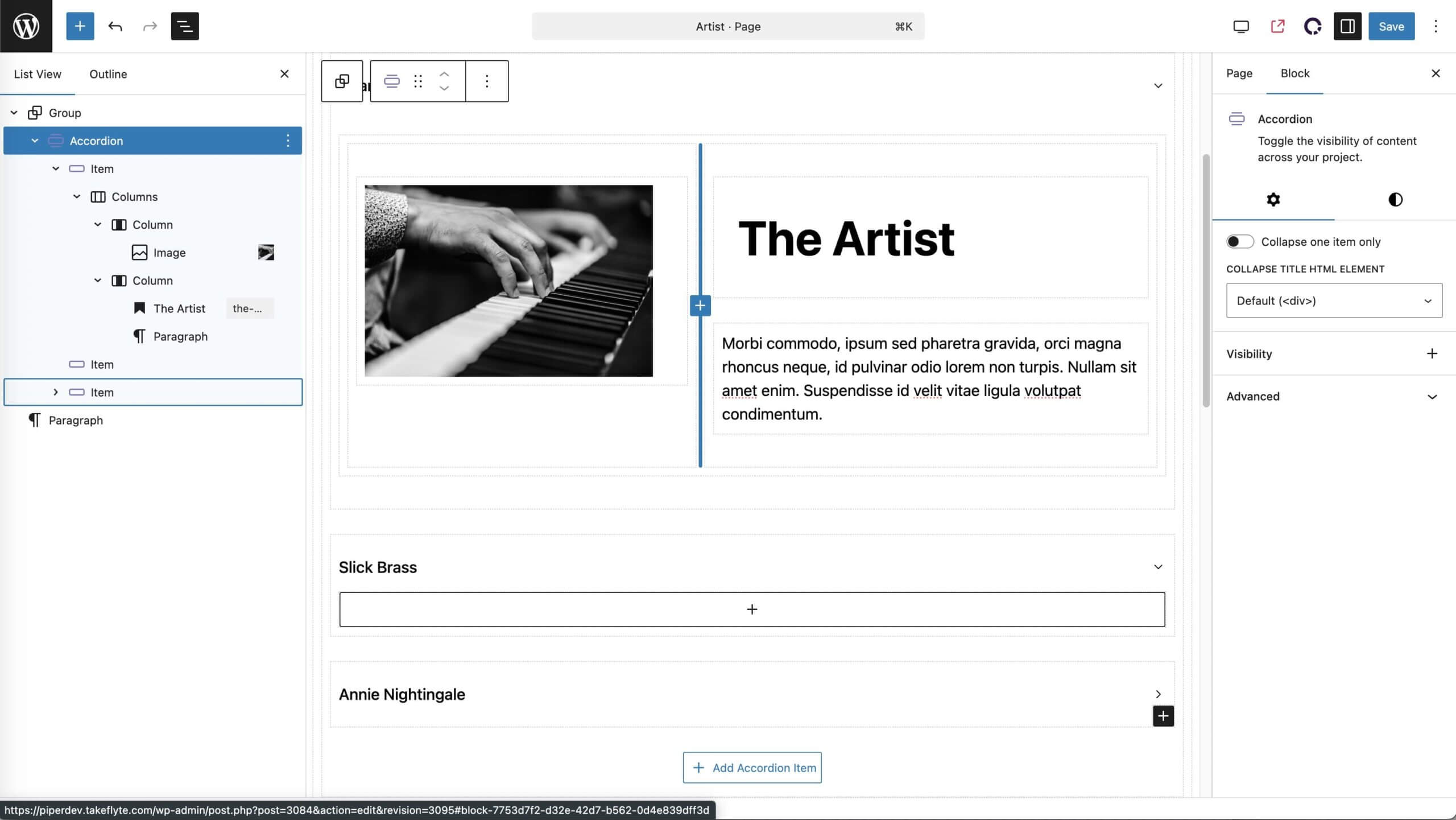
GhostKit Button Block
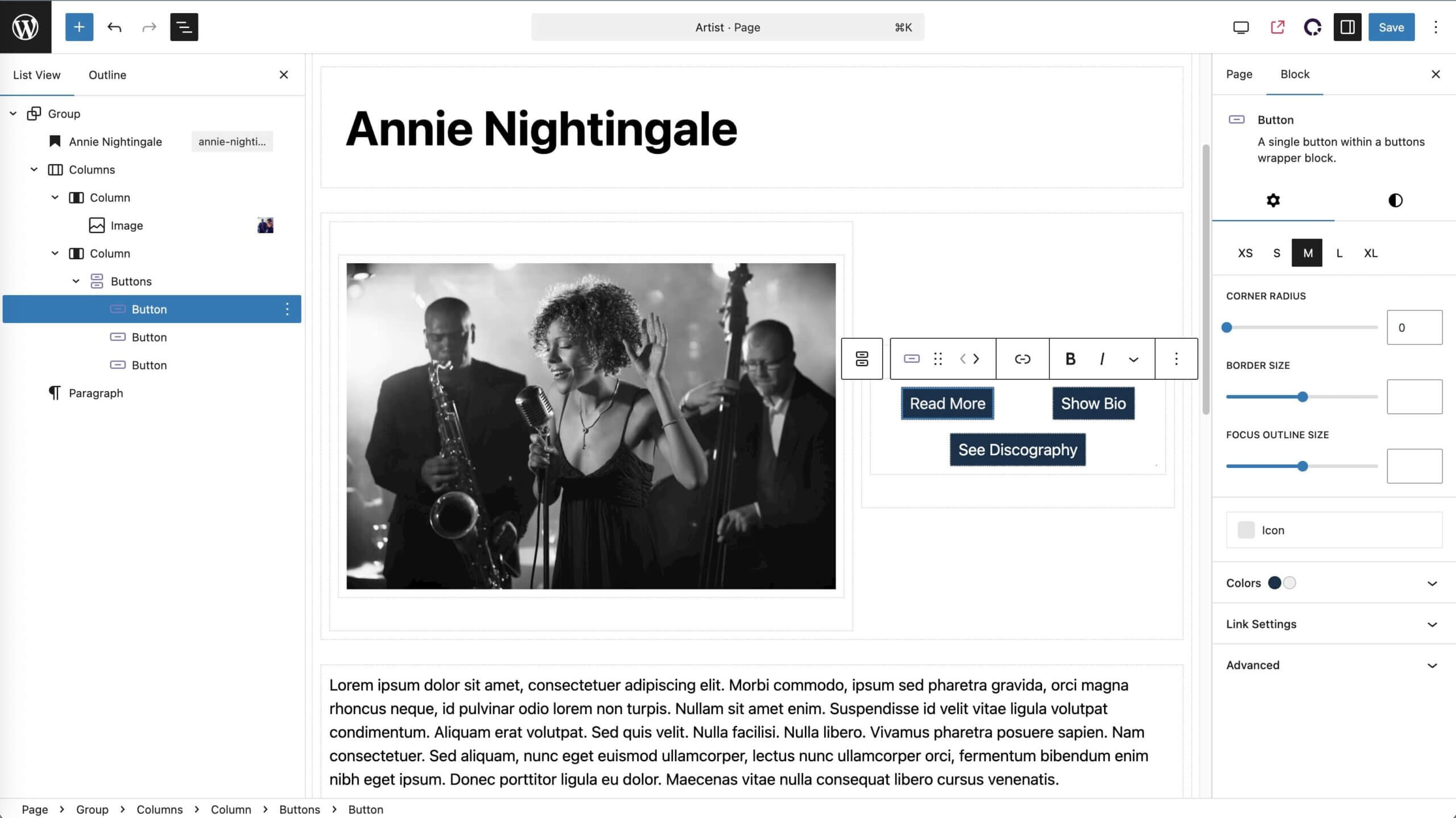
Building on the core button block, this one is fully customizable, including giving you control over hover states and including icons.
Buttons are great candidates for synced patterns. You can create a button library and use them on demand throughout your site. Some parts of synced patterns can be made editable (like the text and link URL) on a case by case basis without affecting the master pattern but currently options are limited.
Use Cases: Any place you want a fully stylized, eye-popping, branded call-to-action, this is your go-to tool.
GhostKit Icon Block
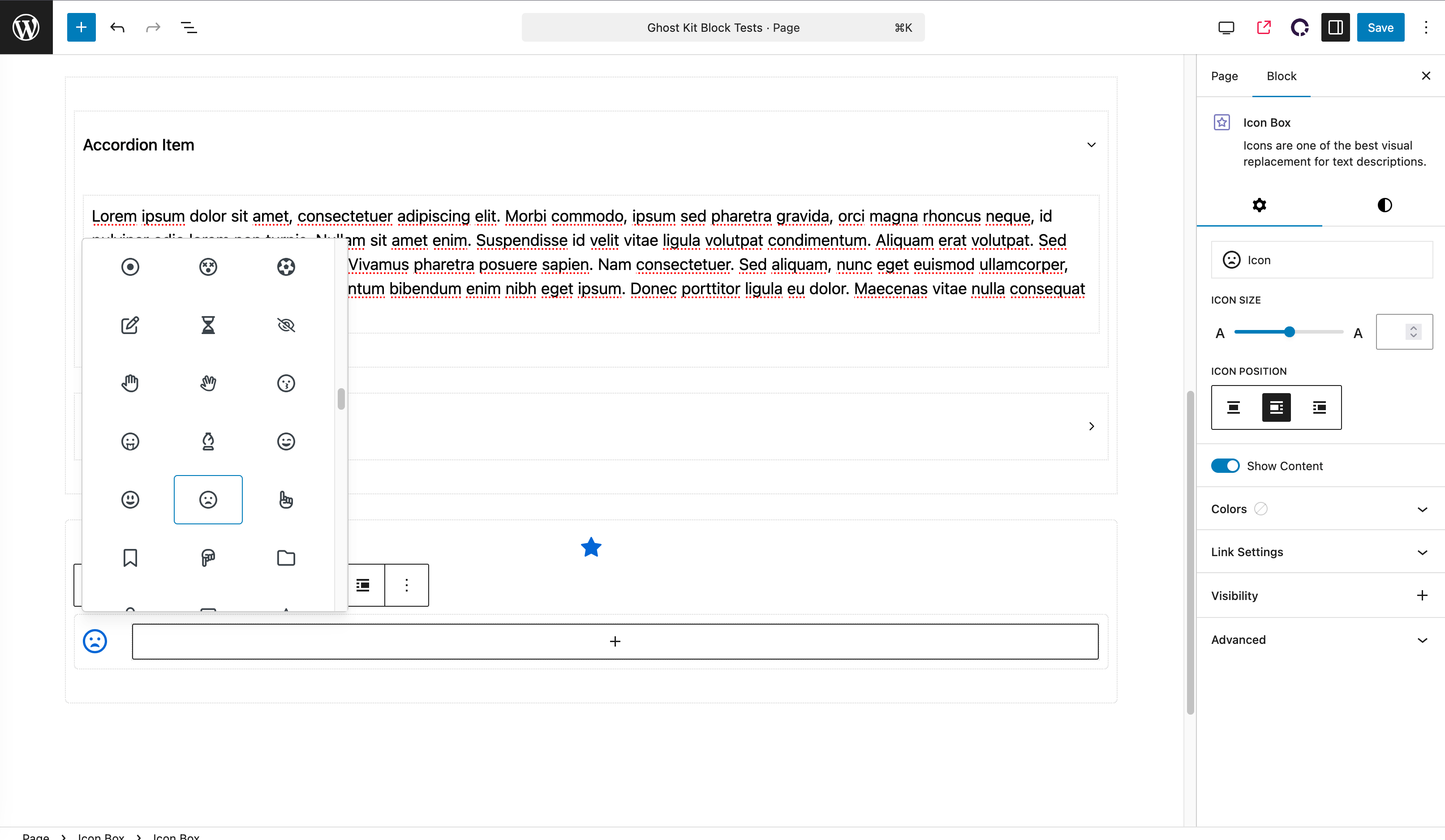
Add visual appeal to your pages with iconography. You can insert any SVG icon or choose from libraries like Font Awesome.
Use Cases: Great for adding visual signage for different services, offerings, or audiences.
Custom Blocks by flyte new media
Sometimes we can’t find a block that does exactly what we’re looking for. Or maybe it does what we’re looking for, but something’s missing…or there’s something irritating we can’t get rid of! When that happens we spin up our own.
Anyone (with the skills and know-how) can create their own custom blocks, and we encourage you to pursue your dreams (assuming your dreams are to build your own custom blocks.) But here are some home-grown solutions we use on our own creations.
AJAX Post Listing Block
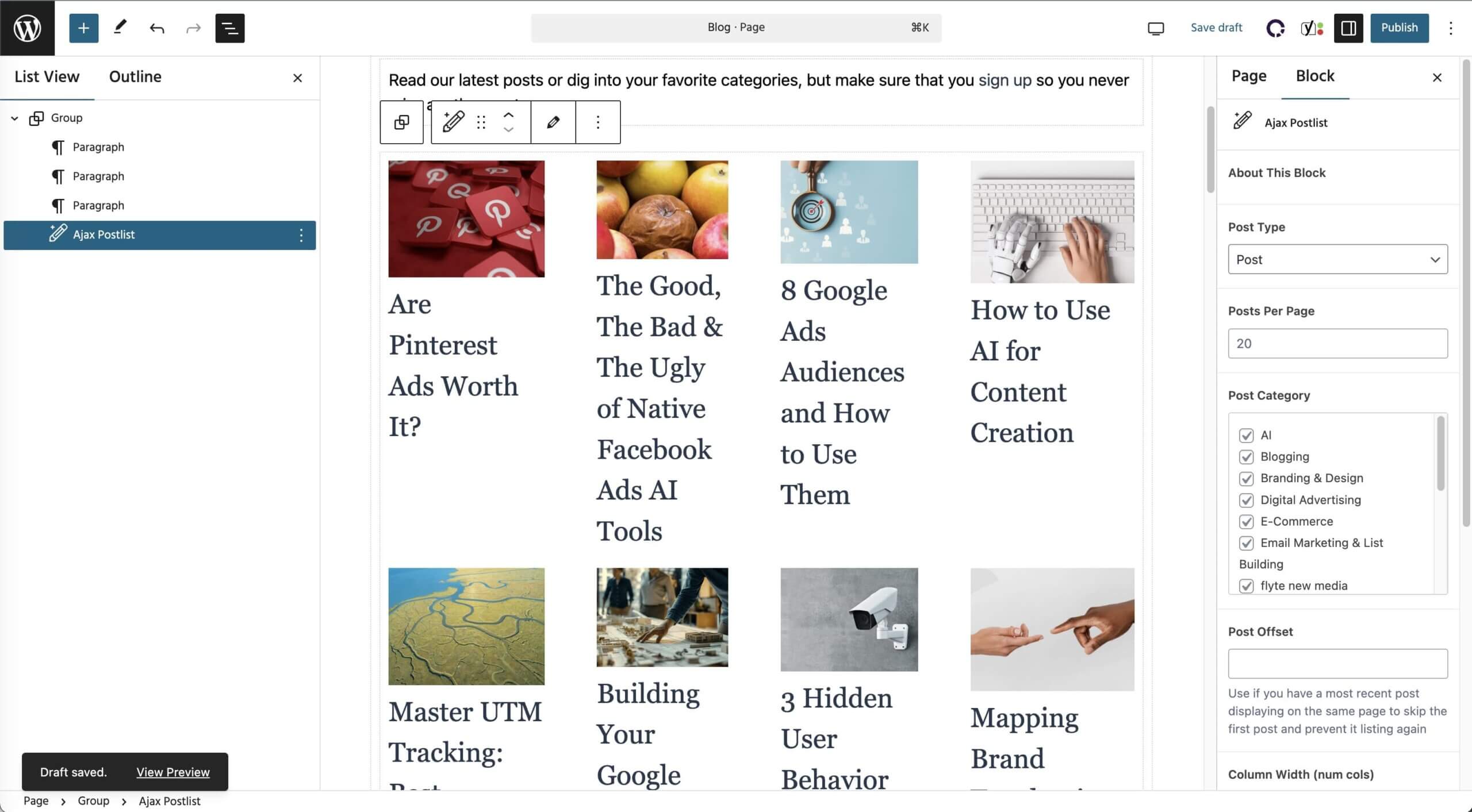
When clients have long lists (products, members, blog posts, etc.) but they don’t want to use pagination, our AJAX block dynamically loads content as visitors scroll down the page, with a “Load More” button.
If that sounds complex, don’t worry! You don’t need to know your AJAX from your elbow. I don’t know how my car’s engine works, but I know how to drive it to and from work.
Use Cases: Any time a client has a long list that would slow down load times, that’s a good opportunity for the AJAX block.
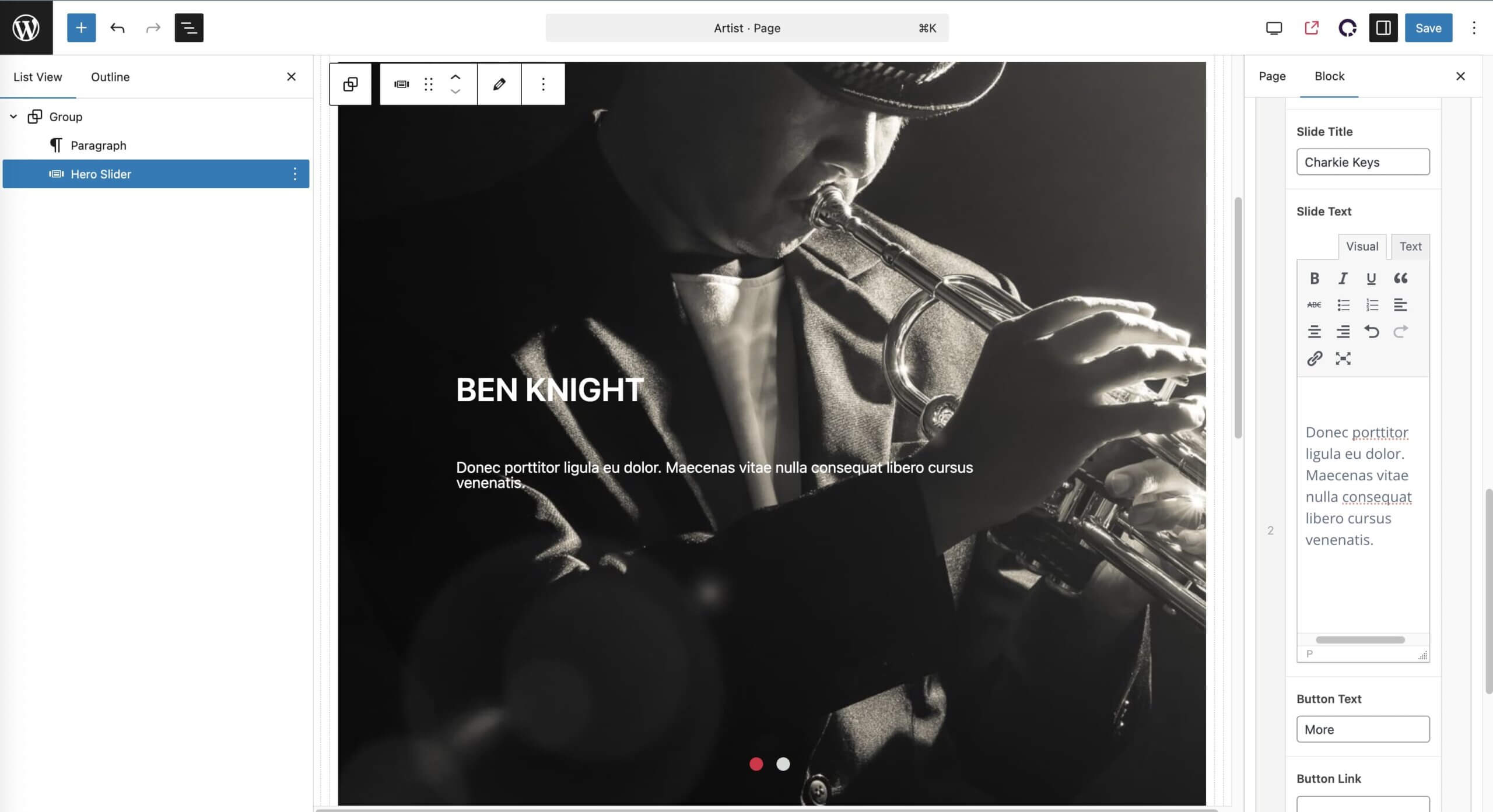
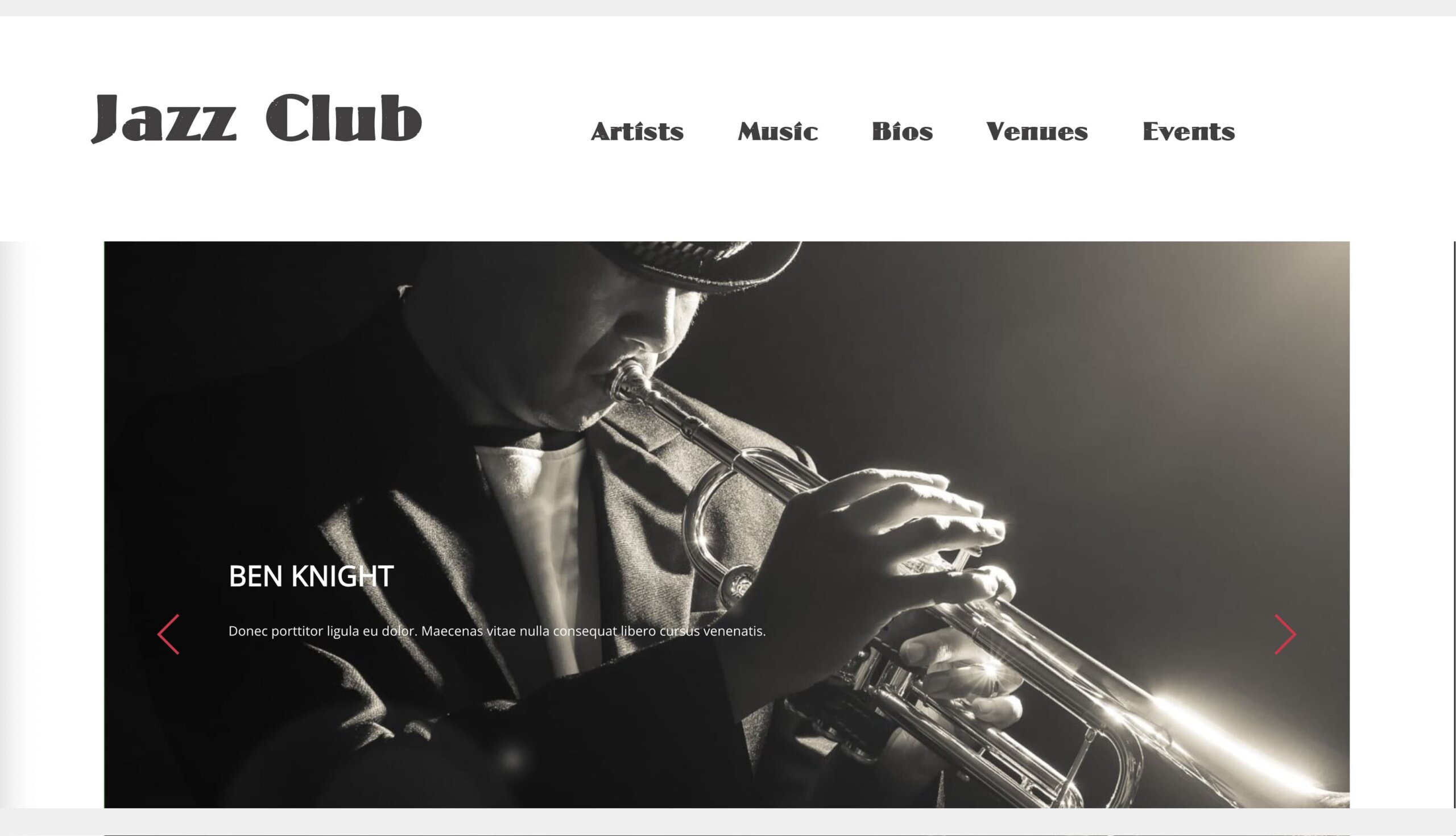
Hero Slider
I know what you’re thinking: it’s some sort of sandwich thing. You’re not thinking that? Maybe it’s time for lunch then.
In any case, the Hero Slider allows us to create a carousel with nested blocks for complex layouts.
Use Cases: Home pages looking for some visual pizzazz, landing pages.
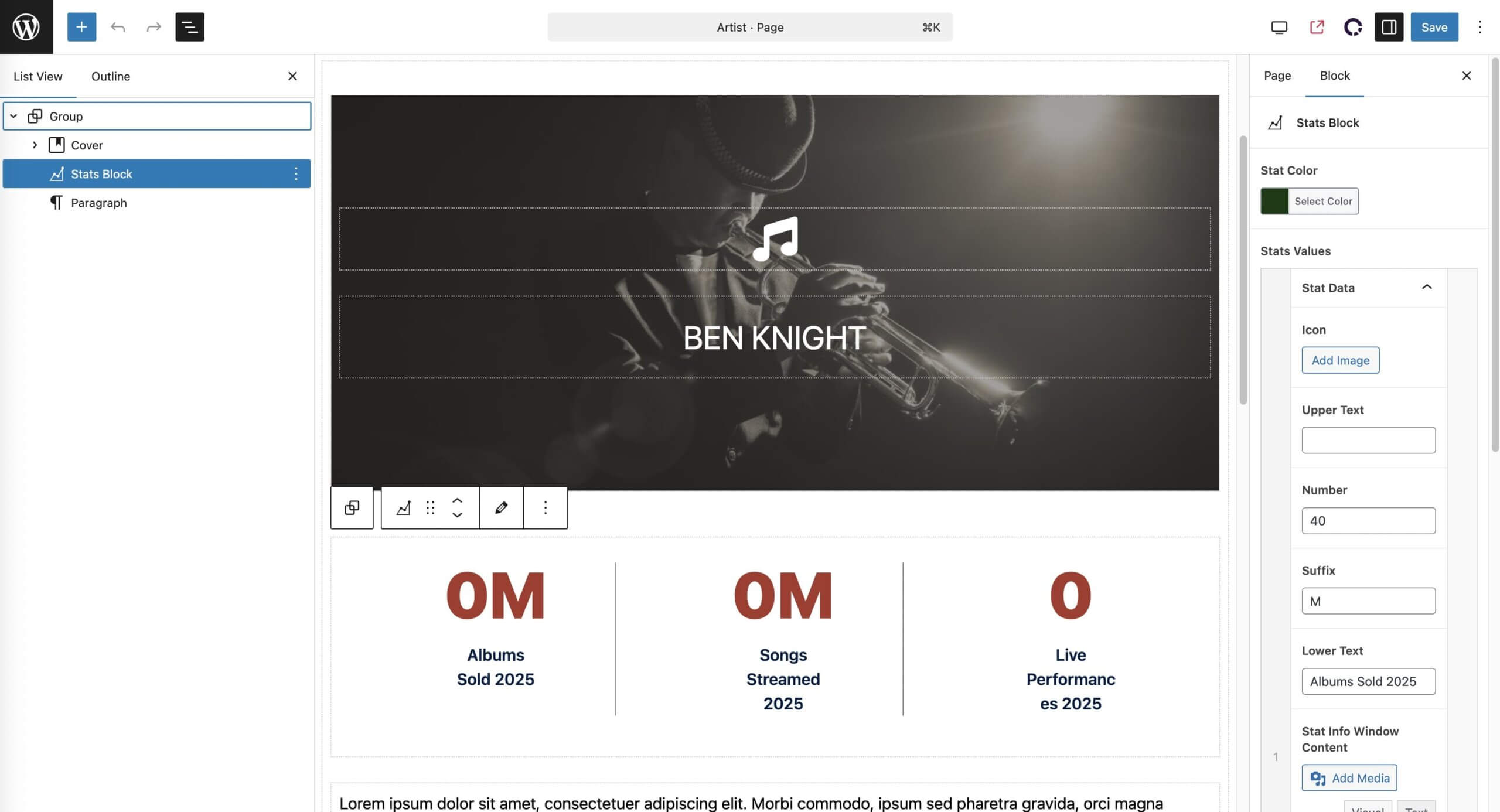
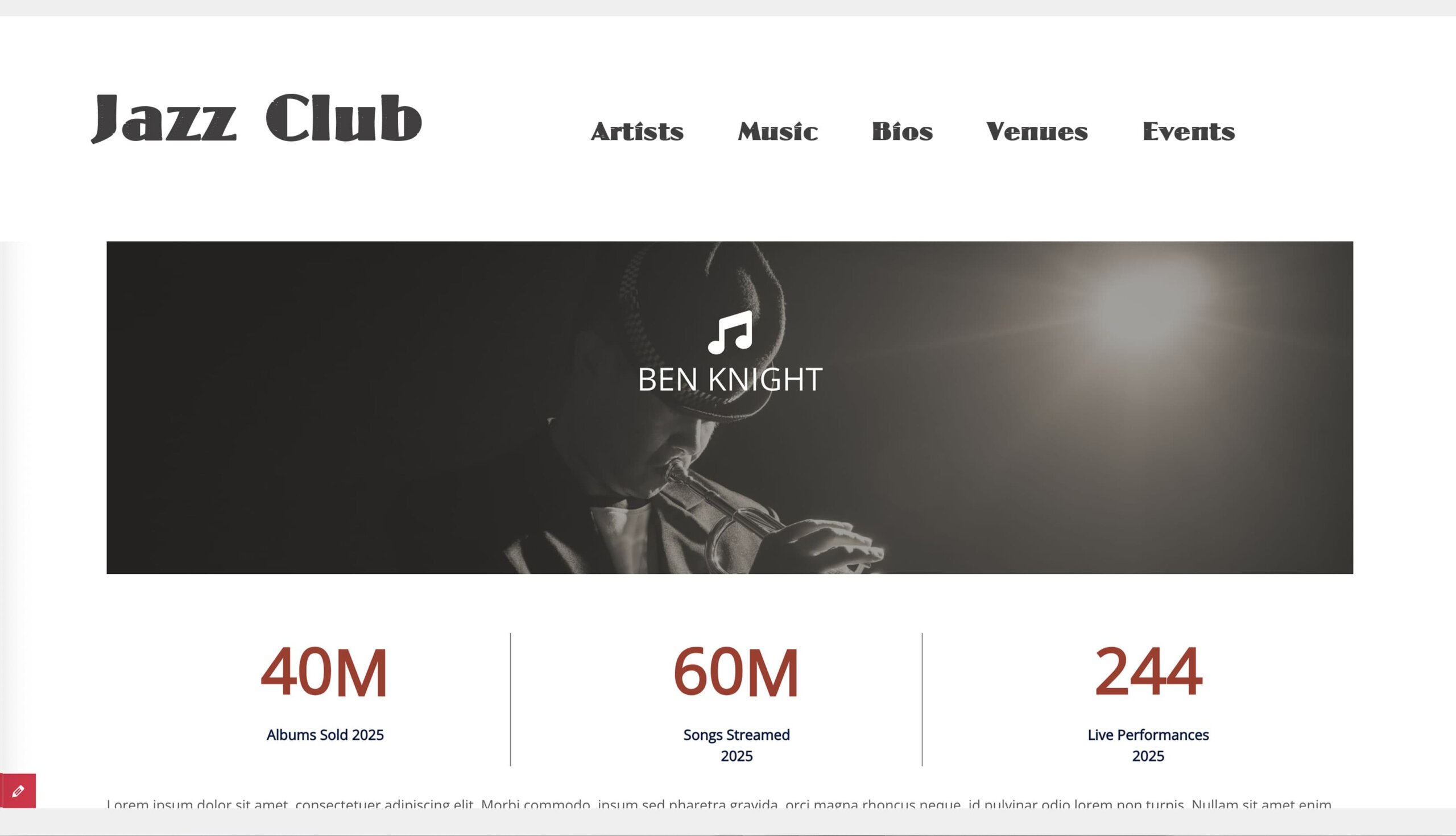
Stats Block
This block visually highlights important stats with rolling numbers as visitors scroll down the page.
Use Cases: Great for building trust with site visitors by highlighting data and results. While most people have short attention spans and won’t read your whole case study–no matter how lovingly it was put together–highlighting a 147% increase in conversions or 215 years of combined experience in your industry will grab anyone’s attention.
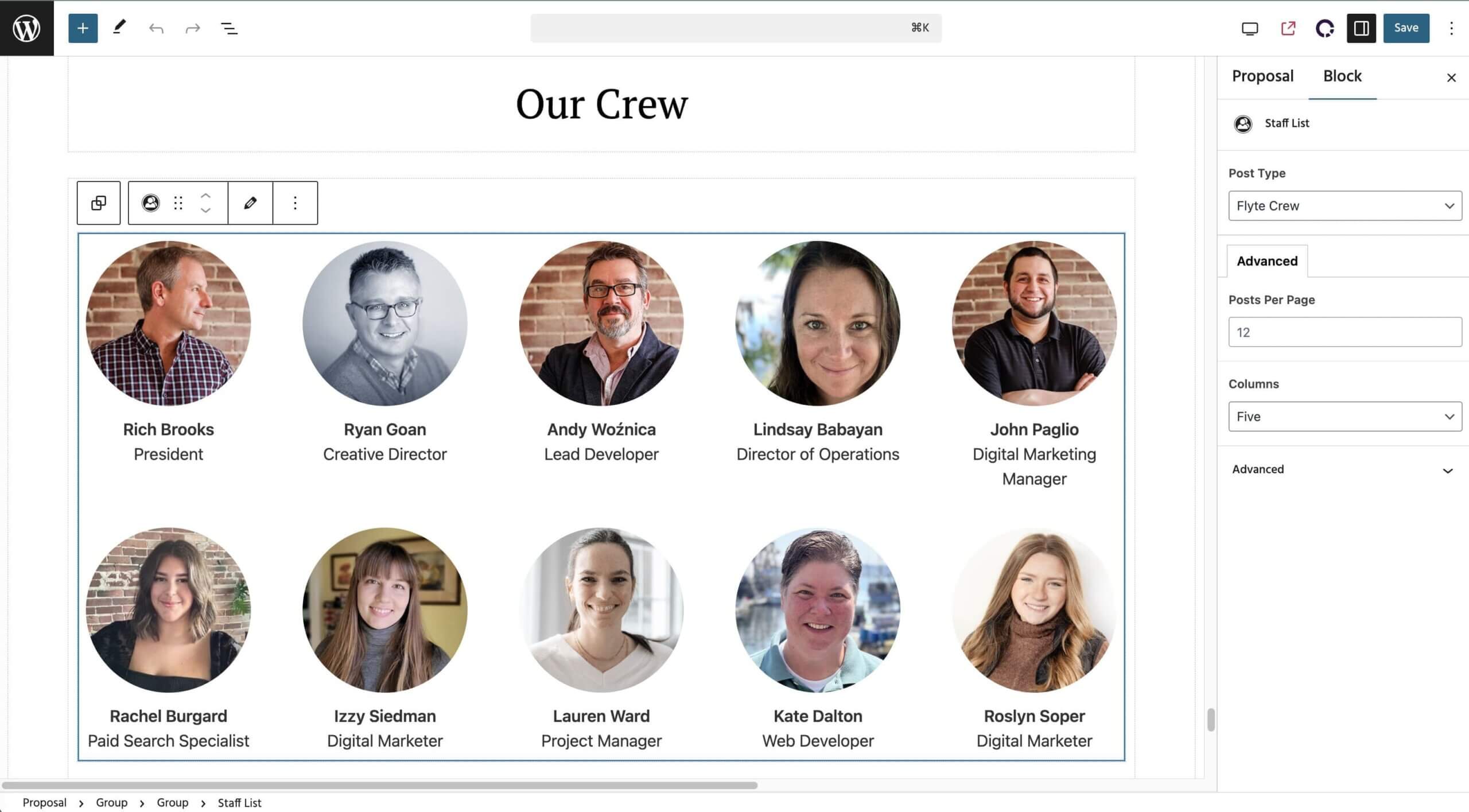
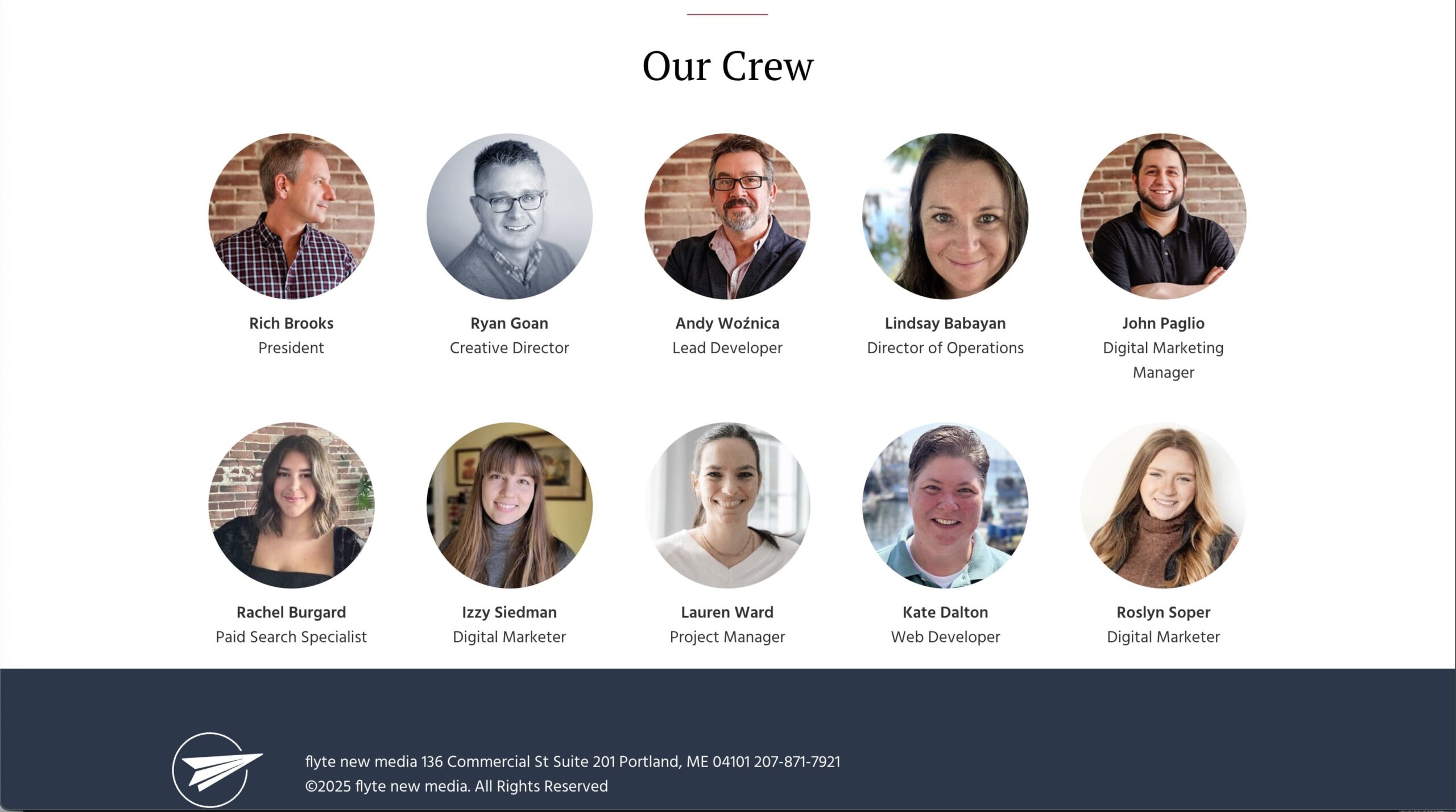
People Block
This is a great way to highlight your team and start building trust with future clients. It includes an optional lightbox display.
Use Cases: Perfect for Team or About pages, but could be used for any matrix of visual products or offerings.
Final Thoughts
Gutenberg blocks are like Legos: with them you can build just about anything you want. However, you’ll get better results when you start with a strategy and a plan, and then identify the blocks that will best help you build a website that attracts and converts your ideal customers.
If you found this post and it gave you the background you need to build your own WordPress website, or to talk more intelligently to your web developer, great!
However, if you’re looking for an experienced team to help you build your dream website–a site that grows your business–we’re here to help. Reach out to us on our contact form and we’ll get right back to you!

Rich Brooks is president of flyte new media, a digital agency in Portland, Maine, offering branding, web design, and digital marketing. He is a nationally recognized speaker on marketing, AI, and entrepreneurship.
He founded The Agents of Change, an annual conference and weekly podcast that focuses on digital marketing.
Rich is the author of The Lead Machine: The Small Business Guide to Digital Marketing, a popular and well-received book that helps entrepreneurs and marketers reach more of their ideal customers online.