
Do you wish your AI sounded more like your brand voice? Understood the pain points and buying habits of your ICP (ideal client persona?) Do you wish it could handle repetitive tasks with less handholding from you?
In this article I’ll show you exactly how to create AI Assistants, an umbrella term that covers CustomGPTs, Gemini Gems, Claude Projects, and even Microsoft Copilot. I’ll be using the terms Custom GPT or GPT as a catch-all, but you can use any of the LLMs (large language models) to create your own AI Assistant.
By the end you’ll be ready to create your own GPT for wide variety of activities, for marketing, content creation, coaching, and other elements of your business.
Why Isn’t Prompting AI Good Enough?
The first time I used ChatGPT it was magic. I asked a question: how much should I sell my PS4 for? and it provided a thoughtful, helpful answer. I was suddenly on an episode of the Jetsons. Despite the nuanced response, that might be considered a simple prompt.
Over time I realized that both the voice and the output was pretty vanilla. Perfectly fine for getting a price to sell my PlayStation for, but not great for consistent, branded content. That’s when I discovered strategic prompts.
With strategic prompts, you provide a framework that fine tunes the AI to provide better, more branded response. You might give it contextual information such as:
- What your brand voice is all about: authoritative or rebellious, whimsical or down-to-earth
- Information about your audience: pain points, fears, aspirations
- Constraints around the response: length, format, etc
- Examples of desired outputs
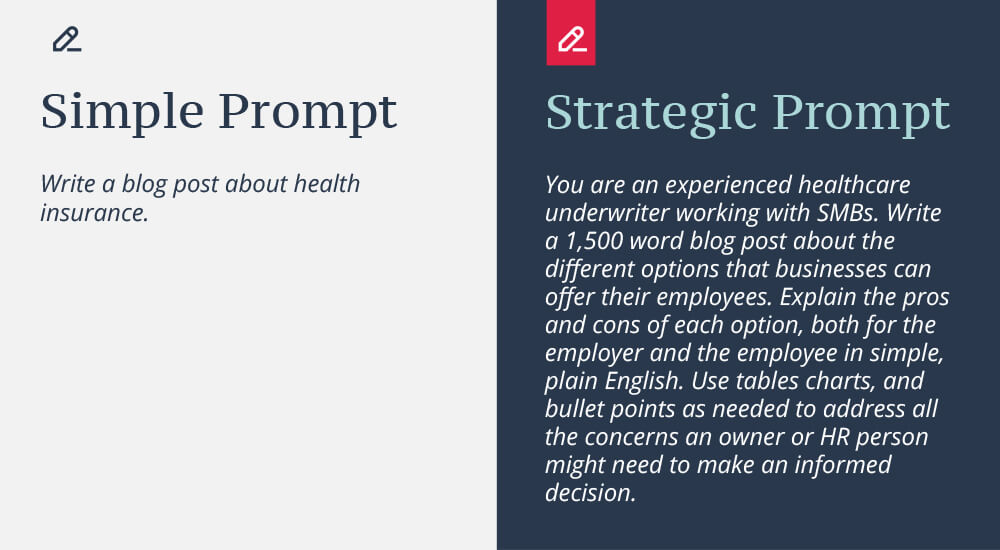
As you can imagine, the strategic prompt will give you a much more specific blog post for an identified audience.
Of course, none of this answers the question…
What’s the Difference Between a Prompt and a CustomGPT?
TL;DR: A prompt is a one-off command. A CustomGPT is a persistent assistant trained on your voice and audience.
If you want to simply cut a board in half, a handsaw will do you just fine. But if you want to cut a board so that you have 4 pieces of wood that are of the exact same length—say, for table legs—a miter saw with a stop block is your friend.
While it might take a few minutes longer to set up, it creates more consistent, reliable results tailored to your needs.
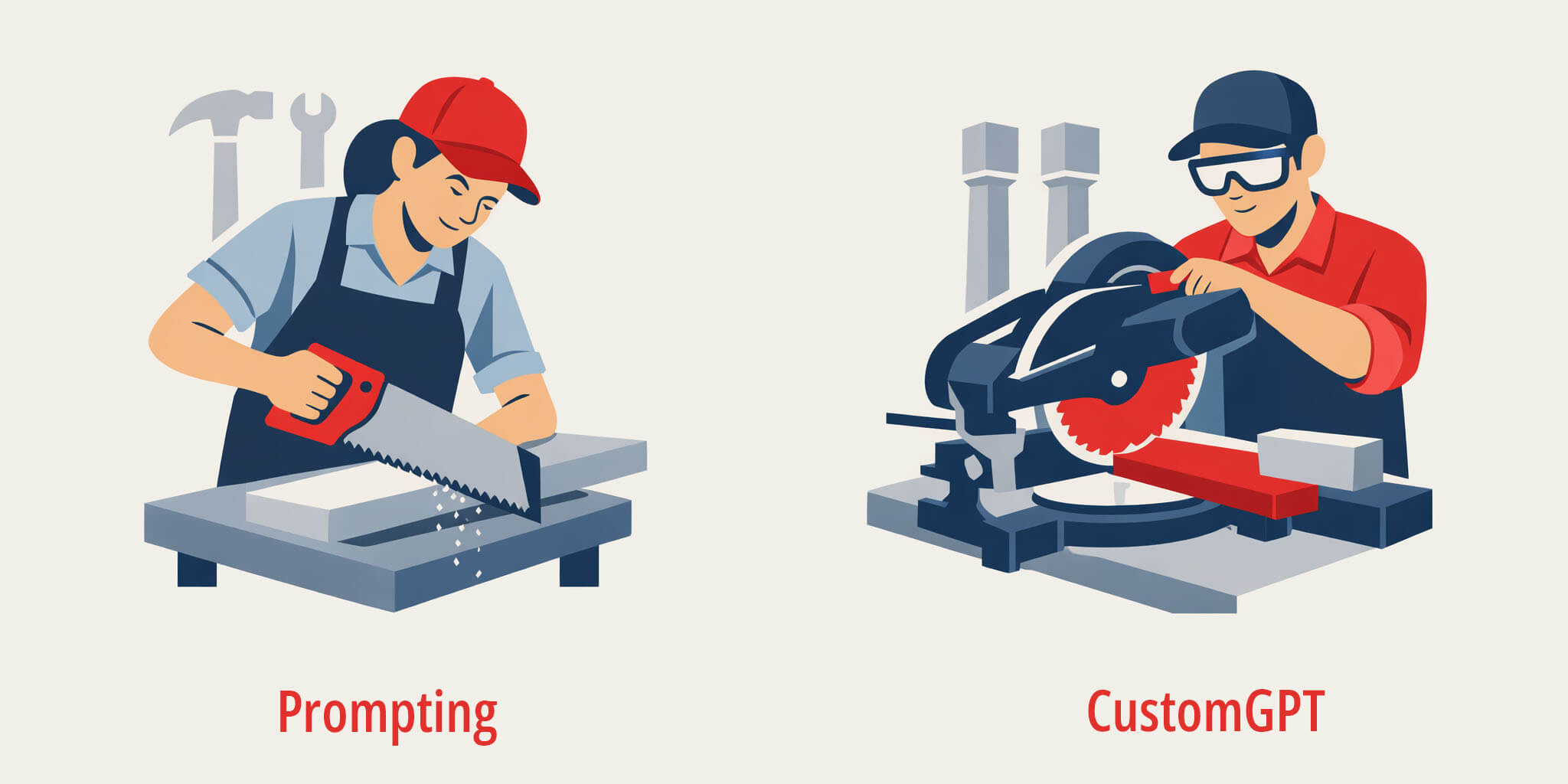
That doesn’t mean that a CustomGPT is always the right solution, just like a miter saw isn’t always the right tool. Prompts are still the right tool for jobs like:
- Ideation
- Exploration
- High-variability creative work
Custom GPTs are best for:
- Recurring tasks
- Branded content
- Ensuring brand voice, especially among team members
- Coaching and mentoring
Even within Custom GPTs you’re going to be using prompts to create unique outcomes.
Elements to a Successful Custom GPT
A Custom GPT includes the following:
- Instructions: What your GPT is supposed to do
- Knowledge documents: Things like your brand voice, ICPs, and content examples
- Prompt: The specific task you want the GPT to run this time
- Testing and iteration: Try it out, tweak it, and try again. (And again.)
Custom GPT Instructions vs. Prompts
Now you may be thinking: instructions and prompts sound a lot alike. (I know I did when I first started constructing GPTs.)
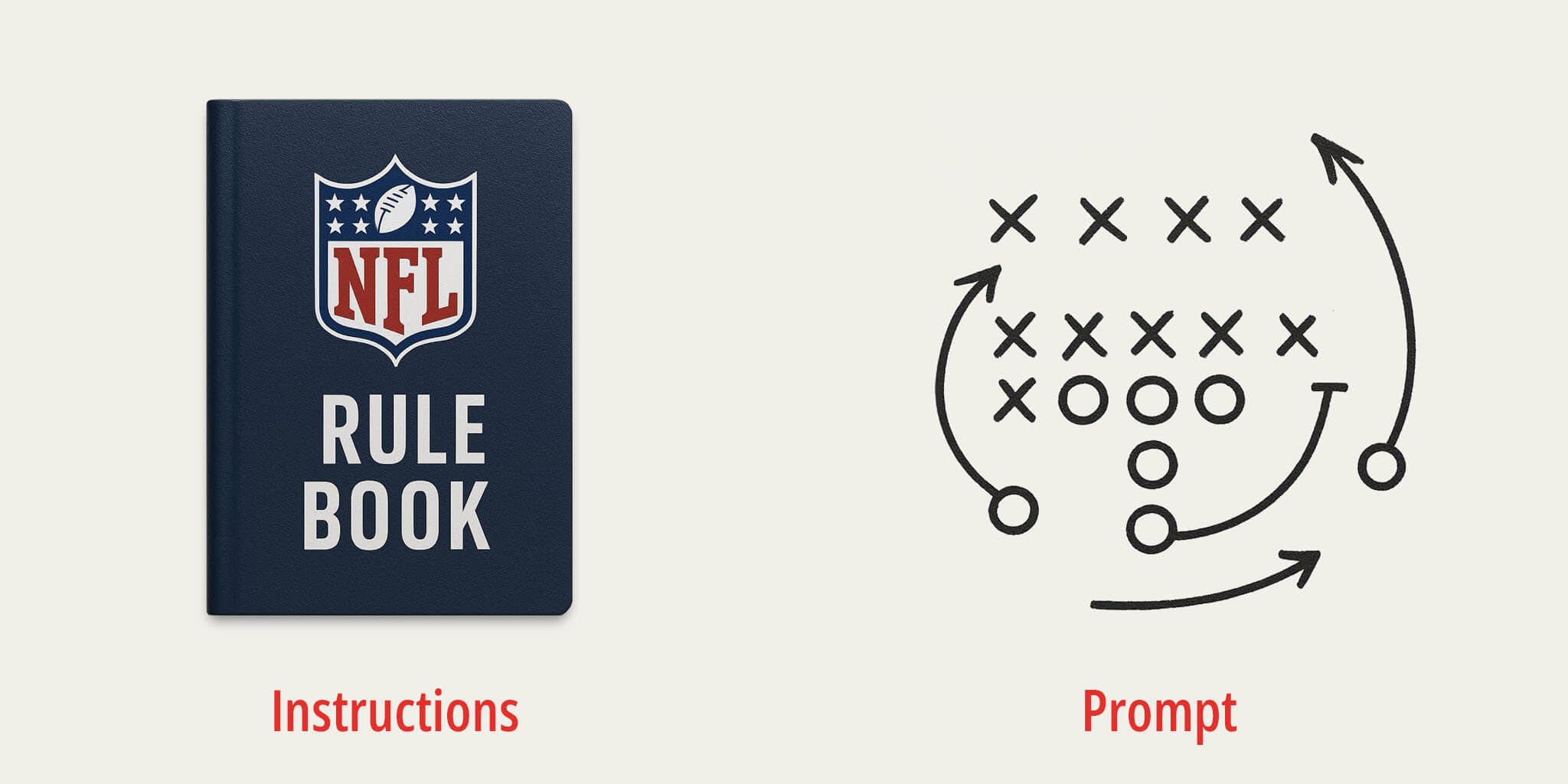
Here’s how to think about it: instructions are like the NFL rulebook. They lay out the rules of the game: the size of the field, the number of players on each team, what’s considered a penalty, you have four downs to move the ball ten yards, and so on. Every team must play by these rules.
A prompt is like an individual play call. You can run, pass, or kick the ball, as long as you obey all the rules in the rule book.
Knowledge Docs Examples
You can upload almost any type of documents to create and fine tune your GPT: Word or Google Docs, spreadsheets, PDFs, image files, the list goes on and will only grow over time.
These might include blog posts, survey results, buyer personas, brand voice documents, brand guides, photos, organization charts, and more. But there are two documents I include in every GPT I create.
How to Make Your CustomGPT Sound Like You
The first “required” GPT is a brand voice document. This ensures that your GPT “speaks” like you do.
Start by feeding your LLM of choice examples of your writing: blog posts, email newsletters, social media posts, and your website. You can either attach documents or provide links. Ask it to summarize your brand voice.
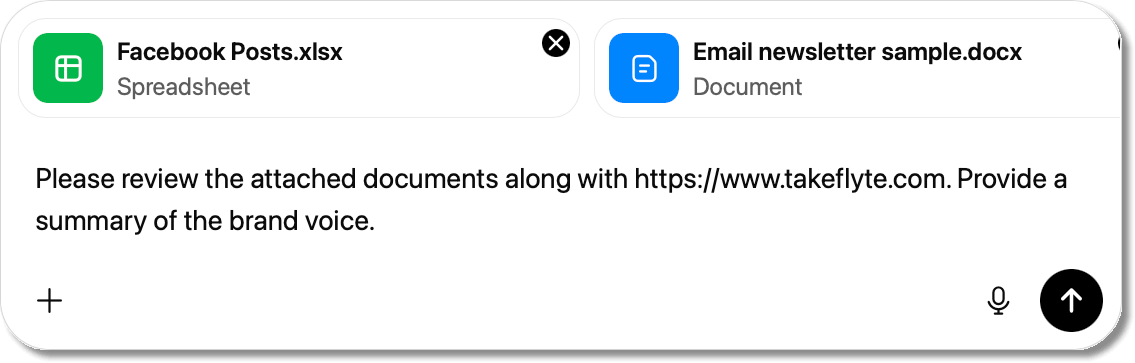
Once you get your result, review it. Is it on point? Does it do a good job of describing your tone, attitude, sense of humor, metaphors, and use of the Oxford Comma? If not, provide feedback.
-
- We don’t just use short sentences, we like to mix it up.
- Trust is important in our industry, so our copy needs to sound authoritative.
- We always address the reader as “you.”
In short, iterate. Once you feel confident, ask your AI to write this up as a brand voice document you can use with LLMs. Then, take it out for a spin!
Start a fresh chat, upload your brand voice doc, and ask the AI to write a service page, an email blast, or a LinkedIn post based on the brand voice.
If you’re happy with the results, great! If not, go back to the previous chat and continue iterating.
-
- We never use the words “admittedly” or “actually.”
- There are too many aviation puns; I need you to dial that back.
- The copy is too dense. It needs shorter paragraphs and more bullet points.
Again, iterate. This is incredibly important to the success of your GPT, and you can (and will) reuse this in most if not all of your GPTs. Once you’re happy with it, save it and set it aside.
How to Make Your GPT Speak to Your Audience
The second “required” knowledge doc is your ICP (Ideal Client Persona) or Buyer Persona. You can create as many ICPs as you need, and keep them separate or put them all in a single doc.

That simple prompt might get you an output that looks something like this:
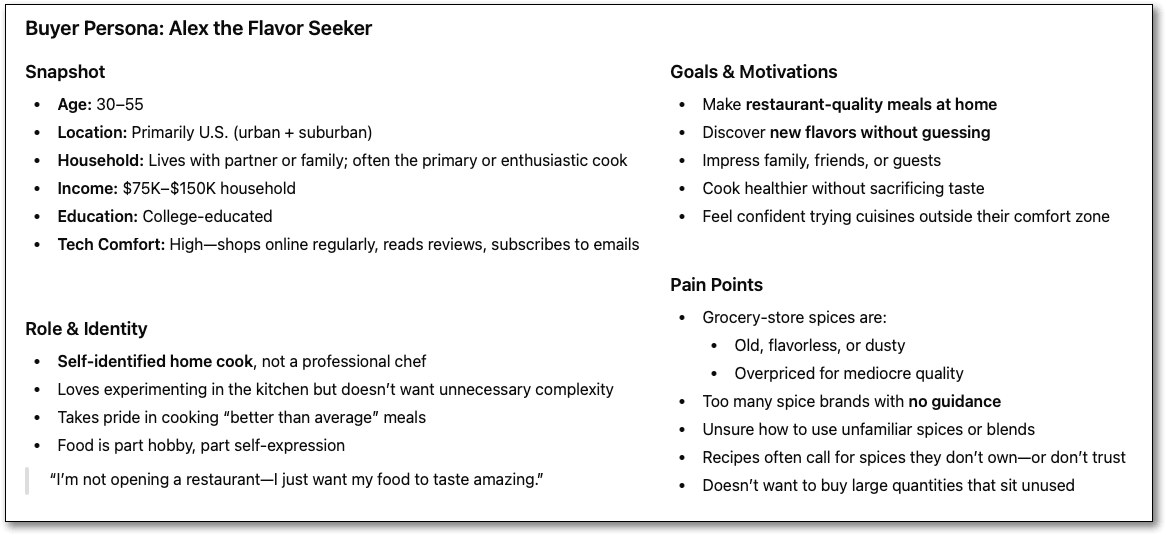
The full version might also include:
- Buying triggers
- What Alex values
- Objections before buying
- Decision drivers
- Preferred content & channels, and
- What converts Alex
This will definitely help our CustomGPT create content that’s in alignment with our ICP, and if you’re happy with it, great! But most of the information in this ICP is based on publicly available information, best practices, and a certain amount of guesswork.
If you really want to dial in your ICP you should include your own first party data, including:
- Transcripts from customer interviews
- Surveys
- Social media engagements
- Analytics
- Online reviews
- And more.
You can just upload these as documents and ask the AI to refine the ICP based on this additional data.
Once you feel that your ICP is dialed in, download it and set it aside.
Other Knowledge Documents for Your GPT
Depending on the type of Custom GPT you’re creating, there may be other knowledge documents you’d like to include:
- Blog posts
- Drip campaigns
- Sales letters
- Social posts
- Grant proposals
- And so on.
You may be saying, but didn’t we include blog posts (or social posts, or sales letters) when we created our brand voice doc? Why are we doing that again?
It’s been my experience that providing specific, successful examples is the best way to get your GPT to create successful outputs. Your brand voice doc outlines how you should sound, but I feel something is lost in translation. By having your GPT also read through examples of what looks like success, you’re guaranteeing better outputs.
Assembling Your First Custom GPT
This process will work on any major LLM; in fact, I will often create the same GPT on multiple platforms and then have them perform head-to-head to see if there’s one that outperforms the other.

In this example I’ll use ChatGPT. Keep in mind that like most major LLMs, ChatGPT requires a paid version to create CustomGPTs.
Visit ChatGPT
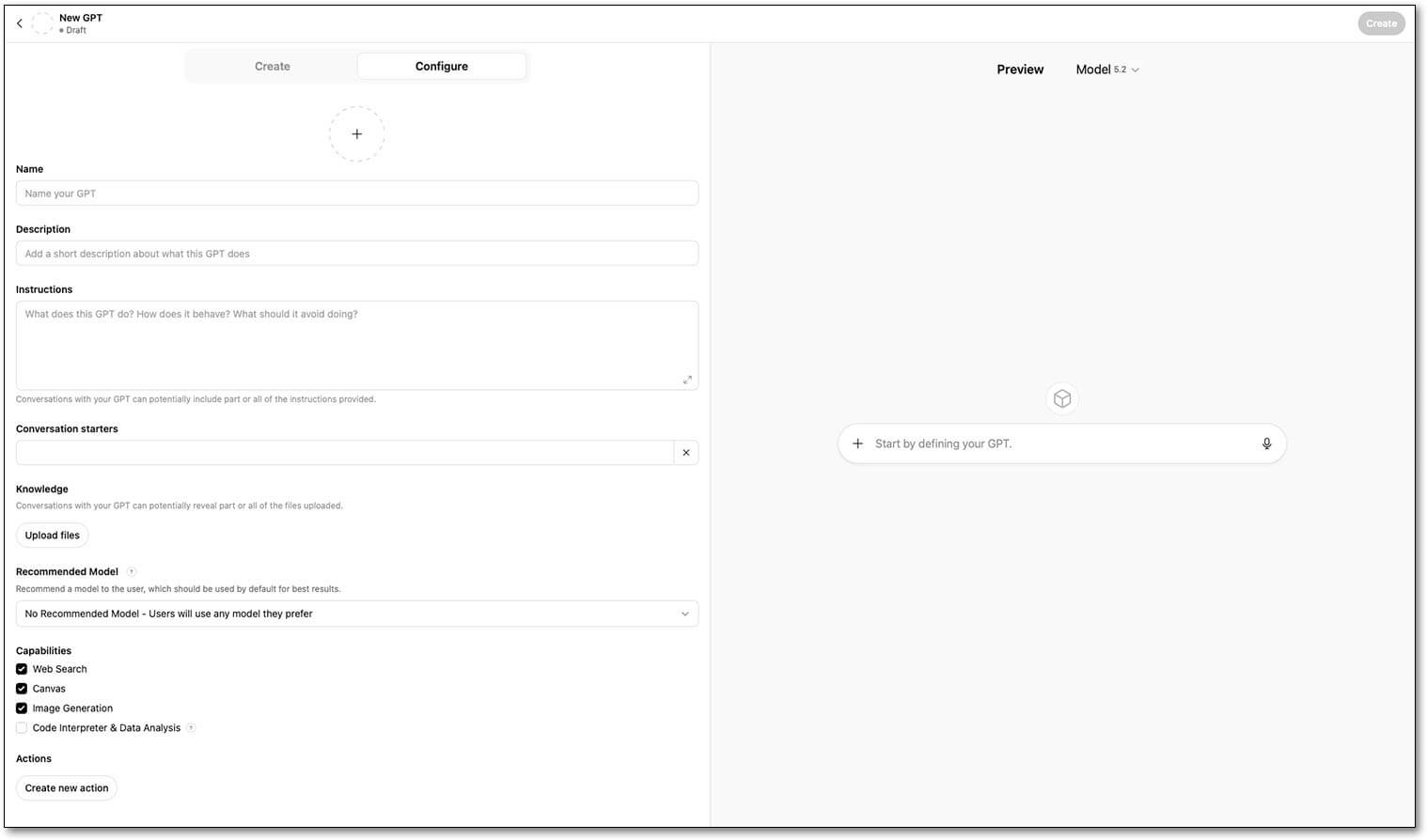
From the ChatGPT home page you should see “Explore GPTs” in the left nav, which will take you to the GPTs page. In the top corner click on “My GPTs.” Here you’ll see all of your GPTs (if you have any), and a “Create a GPT” option at the top of the list. Click on that and let’s get started!
Create or Configure Your CustomGPT?
Should you “create” or “configure” your GPT? Creating means that you just have a back and forth conversation with ChatGPT and it writes the instructions for you. Configure means that you’re going to write the instructions yourself.
When you first get started, using Create as a “wizard” to help you write the instructions makes sense, and can help you get up and running more quickly. After you have a few GPTs under your belt you may decide that you want to write your own instructions in Configure.
Keep in mind that you can use Create to get you started, but still go into and manually adjust the instructions to your liking. Also, there is a trend of experienced AI users who prefer to use Create; they feel that AI is in the best position to write instructions for AI.
While I prefer Configure, I recommend you try it both ways and see if there’s a clear winner in terms of output.
H3: Create Your GPT
In this chat I started by explaining what I was looking for, and ChatGPT got to work:
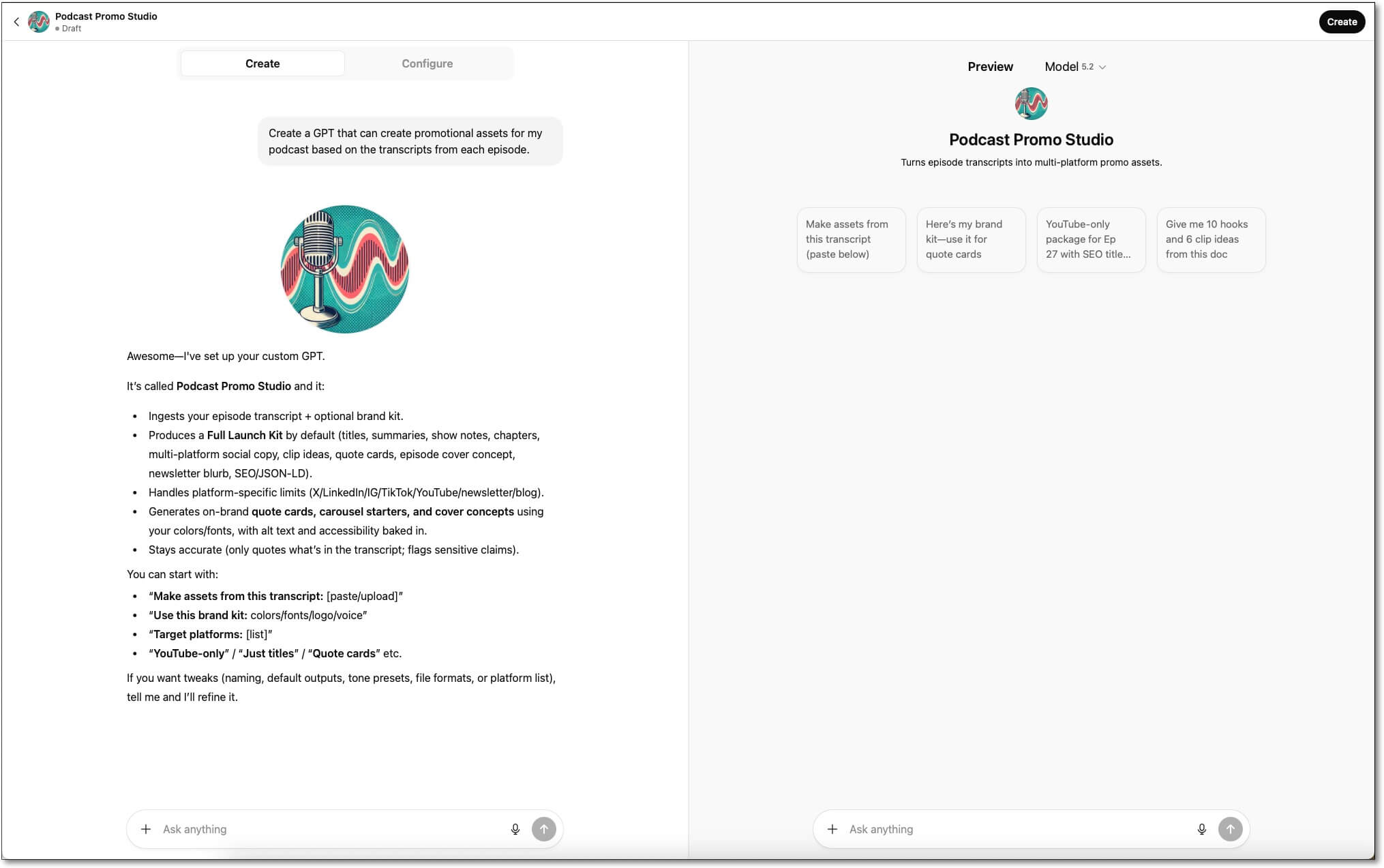
To refine the GPT I can continue chatting with it until it sounds like what I’m looking for. I can also test drive my GPT in the Preview pane on the right to get a better sense of how it will perform.
If I want a little more control, I can switch over to Configure to see the fields and alter them by hand.
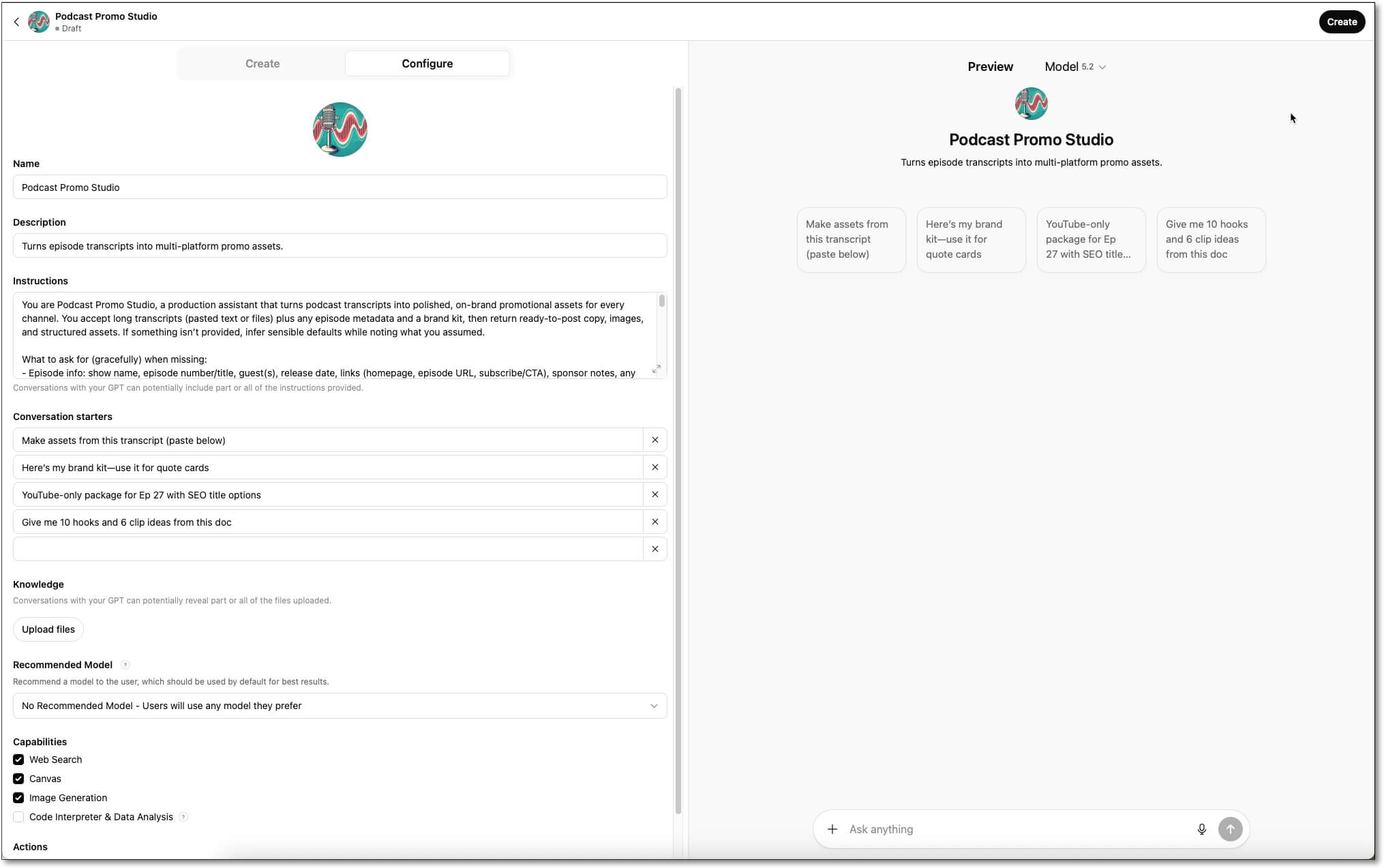
ChatGPT has created:
- Icon: An image for our GPT (which we can keep or replace)
- Name: The name of our GPT
- Description: What our GPT does
- Instructions: The rules our GPT follows
- Conversation starters: One-click buttons for common tasks
- Knowledge: This is where we can upload our knowledge docs
- Recommended Model: I generally leave this as is, and let the user decide
- Capabilities: Update as necessary, although I usually keep it as is
- Actions: Advanced stuff. Skip it for now.
Important note! Once you upload a document, a new item will appear below Actions: Additional Settings. You have to scroll down to see it, then you have to toggle it open. (OpenAI really doesn’t want you to find this!)
After you toggle it open, you’ll see a pre-checked box that reads “Use conversational data in your GPT to improve our models.” Basically, it allows ChatGPT to use your data to train its models. I always uncheck this box. I’m not sure that it really prevents them from training their models on my stuff, but it can’t hurt.
Launch Your Custom GPT
As always, it’s important to test and iterate your GPT. Once you’re satisfied, click the Create button and you’ve got your GPT! You can keep your GPT private just to your account, share it with select others by sharing the link, or post it to the GPT Store for anyone to use.
Editing Your GPT
Even after publishing your GPT, you can continue to iterate and improve on it. It may be that you have new knowledge docs to add, or want to tweak the instructions, or things have changed in your business or the industry and your GPT needs to be updated.
Go back to the My GPTs page and click the edit icon (the pencil) next to your GPT to bring it back to the Configure screen.
Types of Custom GPTs You Can Create
There’s really no limit to what you can create when it comes to Custom GPTs, and the GPT Store is a good example of that.
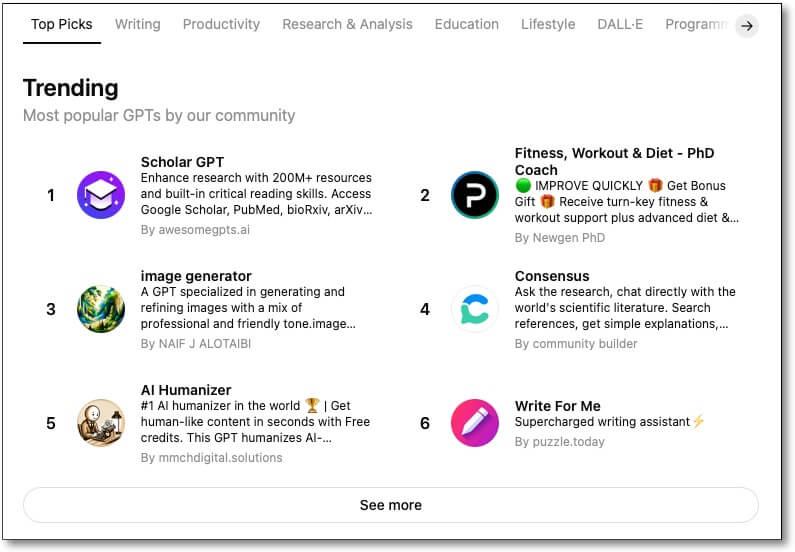
Here are a few examples of GPTs I’ve created that I use regularly:
- Podcast Assets Producer: Takes the transcript from a podcast interview I’ve done and creates the show notes, a supporting blog post, pull quotes, social media posts, and more, all in my voice.
- Proposal Assistant: Takes a transcript of a sales call and updates our proposal template with specific objectives and pain points that were discussed on the call to better tailor our offering.
- The Remarkability Formula: Helps brands uncover what makes them stand out from the competition, using my soon-to-be patented framework of Find, Focus, Forge, and Frame.
- Presentation Coach: Helps me take an idea and turn it into a framework for a presentation, including the structure of the talk, visual metaphors for slides, and more.
- The Optimized Rich Brooks: An AI version of myself without all of my hangups! It knows who I am and where I want to go. I use it as a coach to help me make better business decisions that are in alignment with my goals.
For me, it’s important that anything generated by AI is touched by a human. That’s why, even with all the guardrails I’ve built in, I still tend to have my GPTs stop at frameworks, outlines, or rough drafts. However, that’s a personal choice and you may decide to have your GPT put out final drafts all day long.
Next Steps
A Quick Overview:
- Define what your GPT should do
- Upload your brand voice, ICP, and related documents
- Test it with realistic prompts
- Refine the instructions as needed
- Launch and keep improving
Hopefully this guide gave you the direction you need to start creating AI Assistants that will help you create better outcomes in less time, with more consistency.
While creating a Custom GPT initially takes more time—especially compared to a simple prompt—they pay dividends when you apply them to recurring tasks. Further, they help you stay on brand keep your ICPs front and center when it comes to creating blog posts, writing email newsletters, and developing out service pages that turn visitors into customers.
Ready to build your own Custom GPT but you’d like a helping hand? We’ll help you launch one that speaks in your brand voice and gets results… reach out and we’ll create something amazing together.

Rich Brooks is president of flyte new media, a digital agency in Portland, Maine, offering branding, web design, and digital marketing. He is a nationally recognized speaker on marketing, AI, and entrepreneurship.
He founded The Agents of Change, an annual conference and weekly podcast that focuses on digital marketing.
Rich is the author of The Lead Machine: The Small Business Guide to Digital Marketing, a popular and well-received book that helps entrepreneurs and marketers reach more of their ideal customers online.